16 Step 2: Connecting the Projector
Tip
Set “Input A Signal Sel.” in the Setup menu to “Auto” or “Computer.” If the input
signal does not appear properly, set it to “Computer.”
If you set your computer, such as a notebook type, to output the signal to both your
computer’s display and an external monitor, the picture of the external monitor may not
appear properly. Set your computer to output the signal to only the external monitor.
For details, refer to the computer’s operating instructions supplied with your computer.
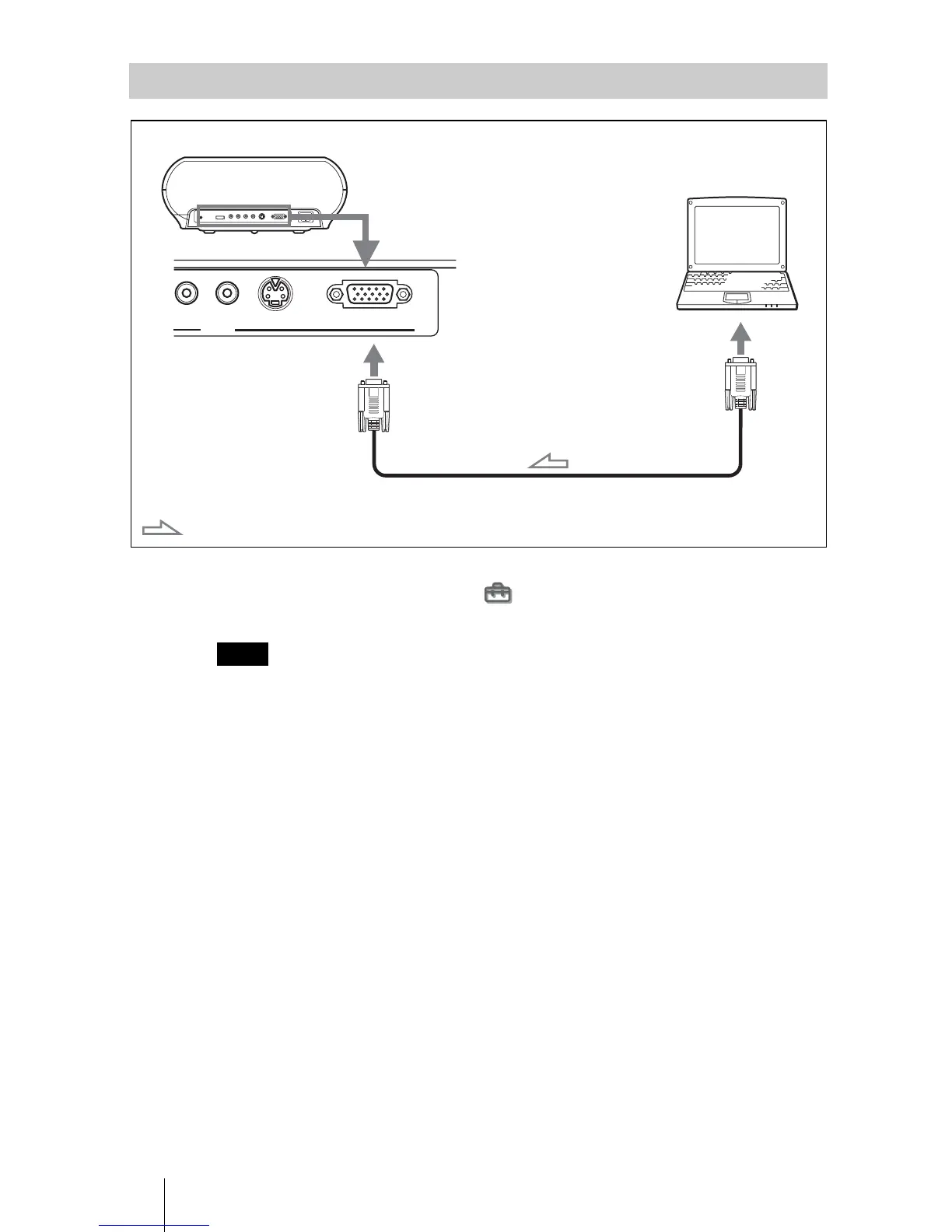
Connecting to a Computer
Note
S VIDEO
INPUT A
PR/CR VIDEO
INPUT
HD D-sub 15-pin cable (not supplied)
: Video signal flow
Rear of the projector
to monitor output
Computer


 To Next Page
 Loading...