Troubleshooting Guide (mech)
1277-1356 Rev 2
© Sony Mobile Communications AB – Company Internal
14(45)
Problem Areas
1.6 Speaker
1.6.1 Loudspeaker
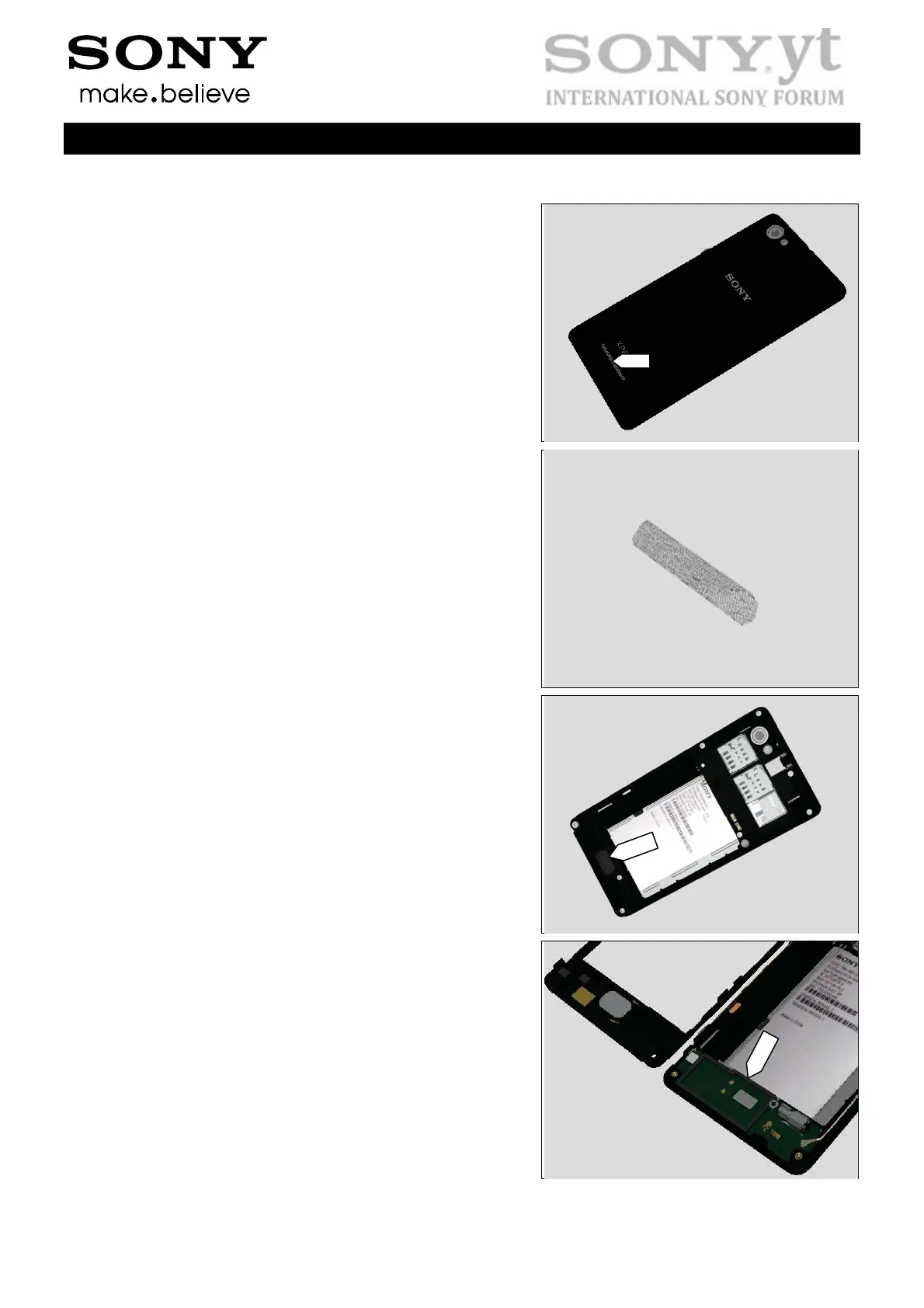
Check:
Inspect the Loudspeaker’s external port on the Battery
Cover Assy.
Action:
1. If clogged – clean it.
2. If damaged – replace the Speaker Mesh.
Check:
Inspect the Speaker Mesh on Rear Cover.
Action:
1. If dirty – clean it.
2. If damaged – replace it
Check:
Inspect the Speaker Sponge.
Action:
1. If dirty – clean it.
2. If damaged – replace it


 To Next Page
 Loading...