1277-1359 Rev 2
© Sony Mobile Communications A
2 Tests
2.1 Service Test
Note: Please make sure the pho
pressing these touching keypa
menu.
Stamina mode needs to be turned
Service Test Mode.
Settings -> Power management ->
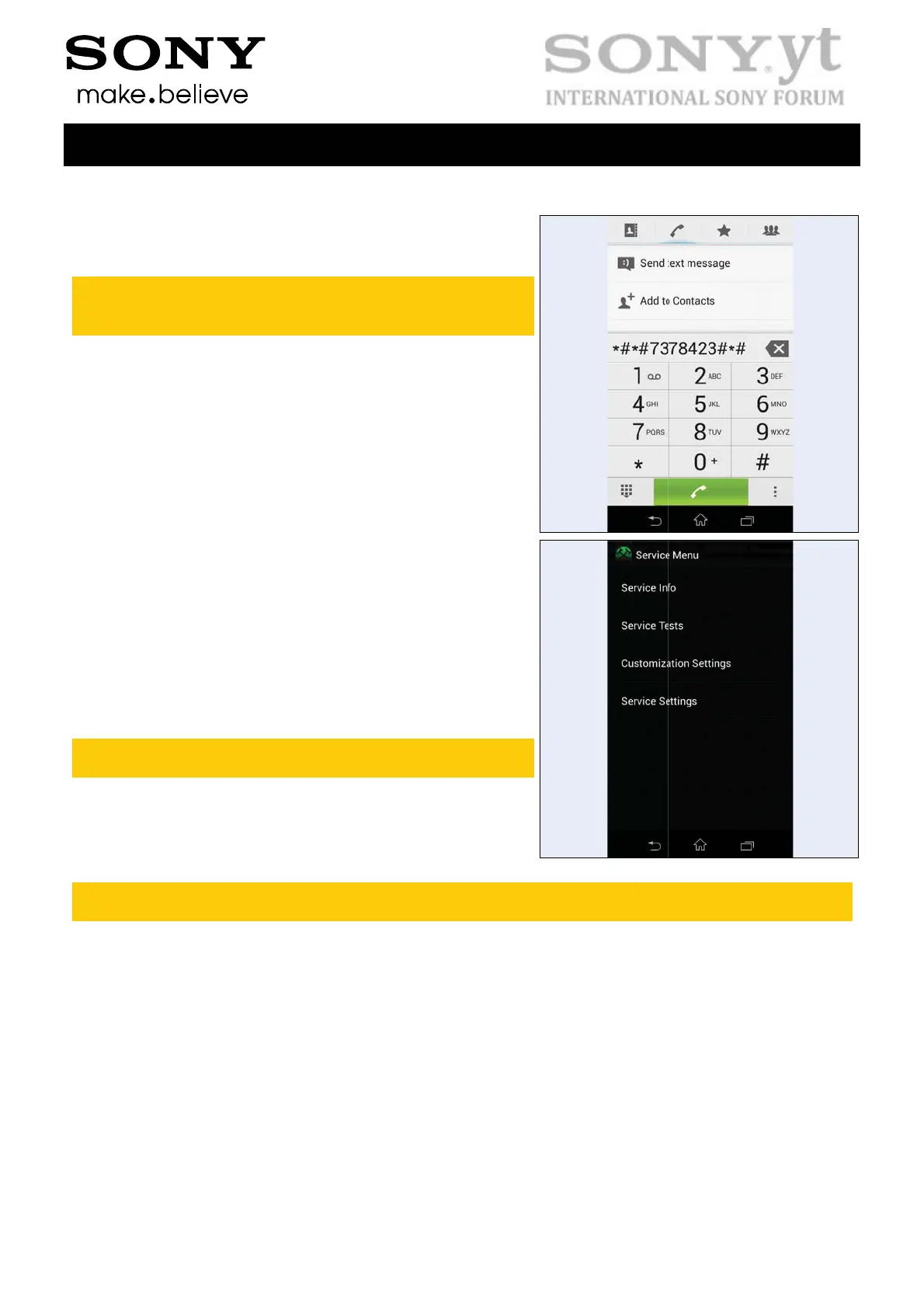
Start up the phone and enter the s
• Press the following keypad com
• Select ‘Service tests’
• Select one of the tests and follo
described below
To stop the test and return to the ‘
press the Back key
For more information, refer to
1220-1333: Generic Repair Man
The following pictures will sho
service tests.
B – Company Internal
Mode
e is in call setup when
s to get into the Service
off before entering
STAMIN
ervice menus:
ination: *#*#7378423#*#*
the test instructions as
ervice tests’ menu,
al - mechanical
a simplified basic phone for a general vi
Test Instructions (mech)
7(25)
ualization of the


 To Next Page
 Loading...