17
4. HOME SCREEN
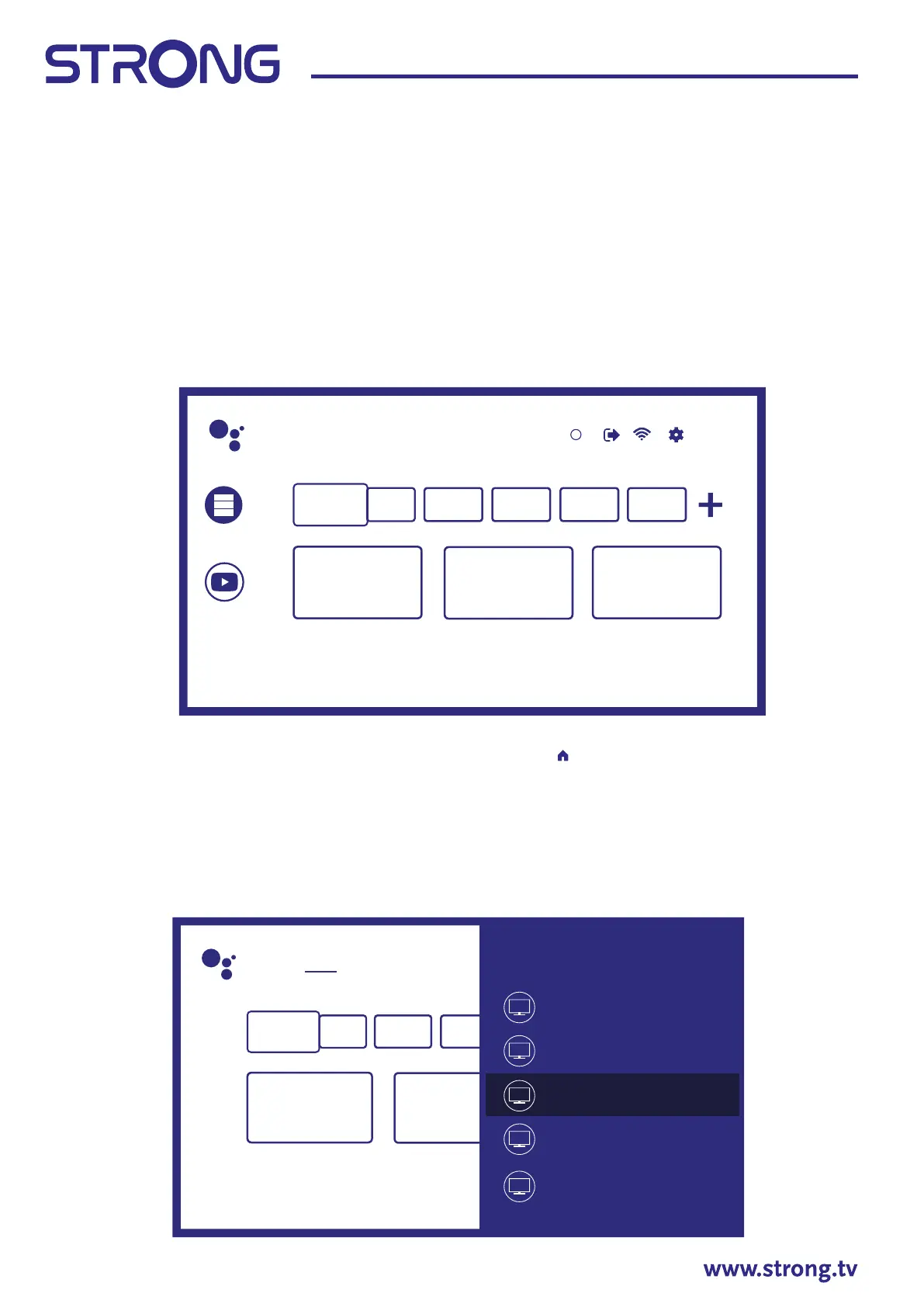
The Home screen is the main screen of this model of TV.
It divided on few zones and lines and contains
- Search line with possibility to enter text to search information or content, related with this text.
- Notication corner, which provide information about system notications and messages. It also gives
quick access to TV inputs, connections, settings and show current system time.
- Application line Apps, which contain the list of most used applications, including Live TV application
and others, and icon Apps – for access to complete applications list, installed in the system, and to
Application Store to get to other new applications.
- Few more lines, which also called Channels, which shows detailed content, specic for each
application. It is possible to customize this area. Use Customize channels to make changes. Please note,
S-Channel line contains the list of recommended, but not installed on your TV applications.
To access Ho me screen and exit from any active application, press
button on the remote control unit
(RCU). Use and to move around and OK to enter the option or application.
4.1 Inputs
TV has such possible inputs or sources: ATV, ANTENNA, CABLE or SATELLITE for respective live TV installed
channels preview or HDMI 1, HDMI 2, HDMI 3 and AV to select connection from external devices.
To access to this option, select Inputs item on Home screen or press INPUT button on RCU.
Select the input sources for the devices which are connected to the TV through the dierent inputs or ports.
Search Home Discover Apps
Input
Cable
ATV
Android TV Home
Antenna
Satellite
1
Search movies, TV, and more 6:28
Customise channels
Apps
YouTube


 To Next Page
 Loading...