3
the carton during the warranty period, to keep your device perfectly protected in the event of repair or
warranty.
1.3 Accessories
1x installation instructions
1x Safety Instructions/Warranty Cards
2x remote controls*
2x AA batteries
2x AAA batteries
* It is possible to pair only one Remote Control, however the second remote control can still be used in the traditional way without a Bluetooth connection as the
rst one.
1.4 Equipment set-up
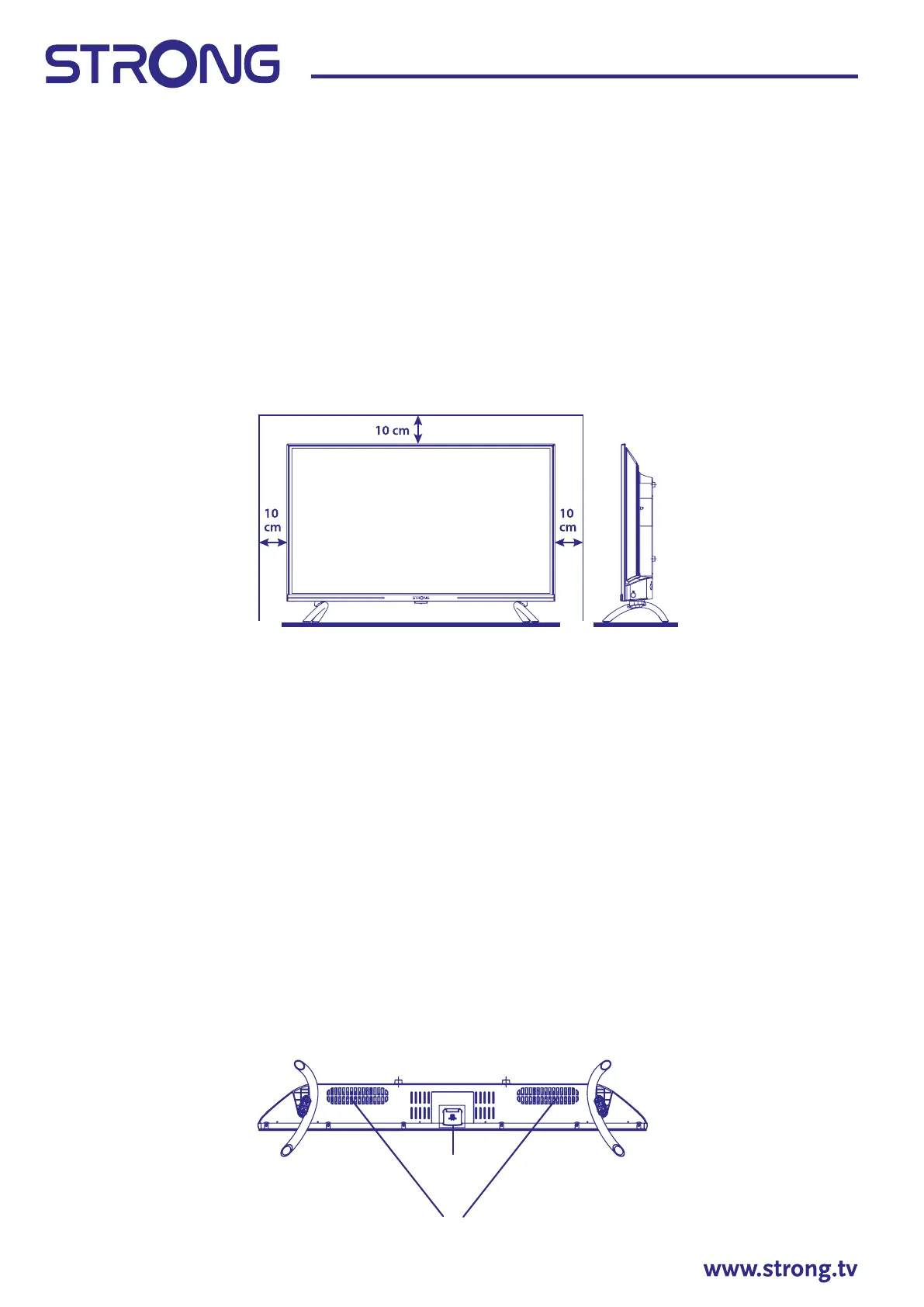
Fig. 1
Install the display on a solid horizontal surface such as a table or desk. For ventilation, leave a space of
at least 10 cm free all around the set. To prevent any fault and unsafe situations, please do not place any
objects on top of the set. This apparatus can be used in tropical and/or moderate climates.
This user manual provides complete instructions for installing and using this TV. The symbols serve as
follows:
WARNING Indicates warning information.
NOTE Indicates any other additional important or helpful information.
MENU Represents a button on the remote control or the TV.
Move to Represents a menu item within a window.
2. INSTALLATION
2.1 Password setting:
The Password is set by the user during the rst installation described in chapter 3 (Step 5). It is possible to
insert a code of your choice, but remembering that to reset the password it will be necessary to reset the
system making it return to the factory settings, losing all the settings set by the user.
2.2 Front panel
Fig. 2
1
2



 To Next Page
 Loading...