2.0 INSTALLATION
2.1 Default PIN code: 0000
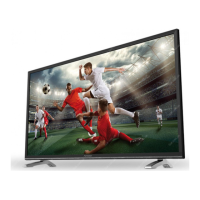
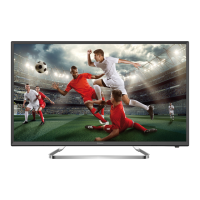
2.2 Front panel
NOTE: The graphics are for representation only.
Fig.2
1. Power Indicator/Remote Sensor
2. Speakers
3. PROG+/- Programme up/down button
4. q Standby button
5. MENU Menu button Volume up button
6. SOURCE Source button Programme down button
7. VOL +/- Volume up/down button
2.3 Rear panel
NOTE: The graphics are for representation only.
Fig.3
1.
: Headphone or Earphone audio output, speakers will be muted when
earphones are plugged in.
2. SCART: Connect devices like DVD or VCR using SCART cable.
3. PC AUDIO IN: Audio input for PC.
4. PC IN: Video input for PC via VGA cable.
5. S/PDIF OUT: Use an RCA cable to connect your TV to a compatible digital amplifier or
Home theatre set.
6. ANTENNA IN: Connect an antenna or cable to the TV for searching and receiving
programmes.
7. HDMI IN: Connect HDMI input signal from a signal source such as DVD, Blu-ray player
or game console.
8. CI+: Connect a Conditional Access Module (CAM).
9. AV IN: Connect AUDIO and VIDEO input signals from a signal source such as DVD.
10. YPbPr IN: Connect component VIDEO input signal from a signal source such as DVD,
share audio terminal with AV signal.
11. USB: USB 2.0 support multimedia playback and software upgrades. Note: Do not
power off the TV during the software upgrading process, otherwise the TV
may not work, and the customer should be responsible.
12. HDMI IN: Connect HDMI input signal from a signal source such as DVD, Blu-ray player
or game console.
5
English
English



 To Next Page
 Loading...