OTHER FUNCTIONS
138
D
Changing between day mode and
night mode
Depending on the position of the headlight
switch, the screen changes to the day
mode or night mode.
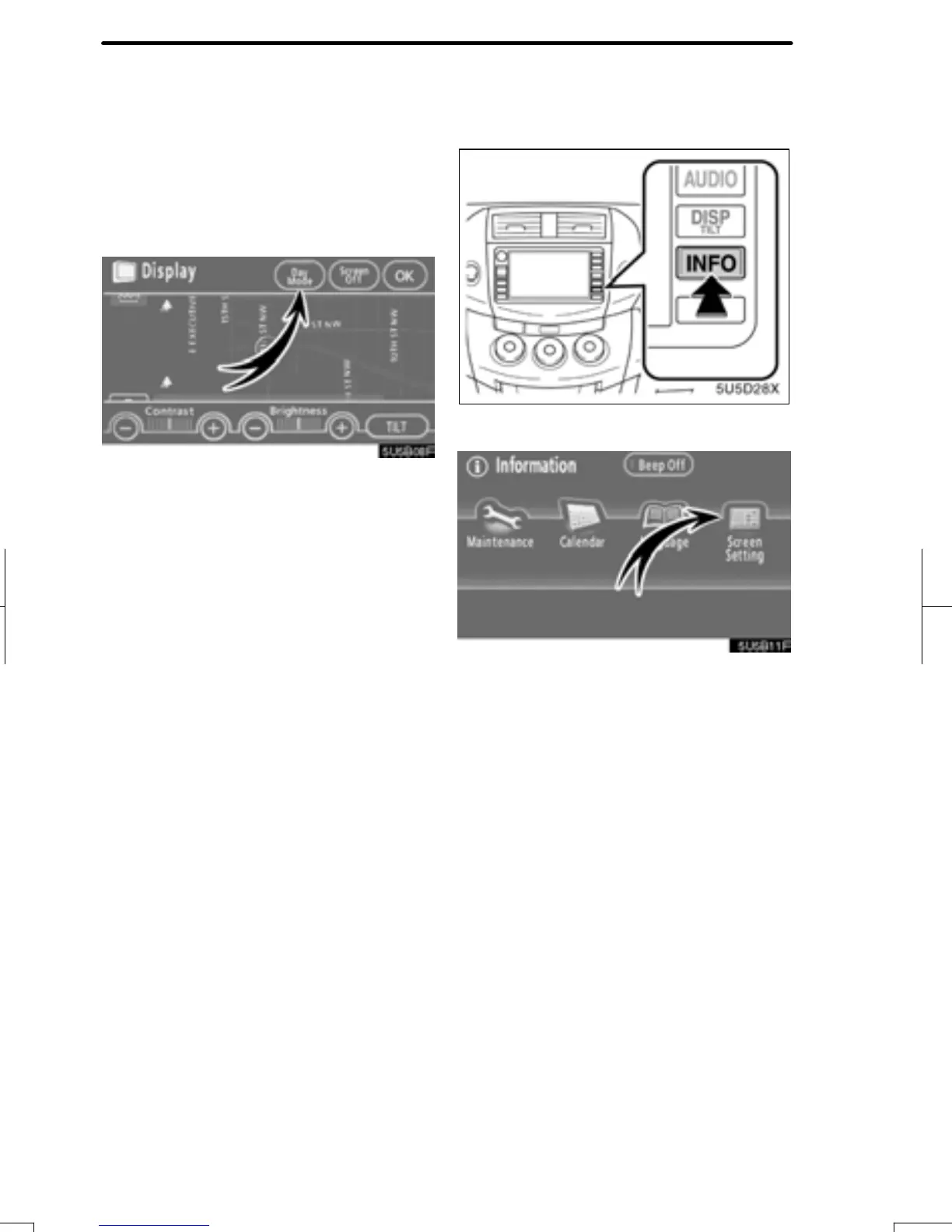
To display the screen in the day mode
even with the headlight switch on,
touch “Day Mode” on the adjustment
screen for brightness and contrast con-
trol.
If the screen is set in the day mode with the
headlight switch turned on, this condition is
memorized in the system even with the en-
gine turned off.
1. Push the “INFO” button.
2. Touch “Screen Setting”.
RAV4_Navi_U
Finish
Screen setting


 To Next Page
 Loading...