DESTINATION SEARCH
63
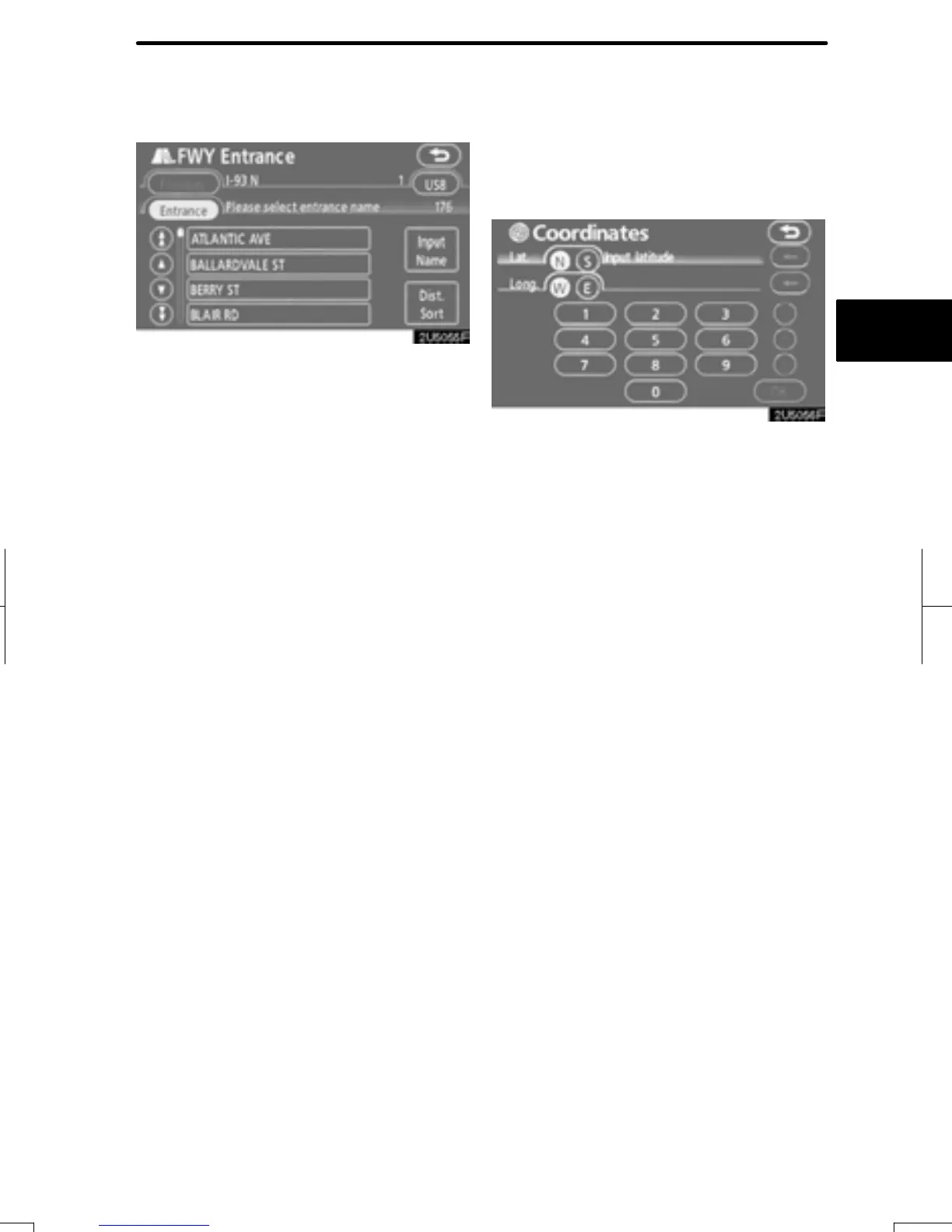
5. Touch the button of the desired en-
trance or exit name.
The screen changes and displays the map
location of the selected destination and the
route preference. (See “Starting route
guidance” on page 65.)
“Input Name”: An applicable list is dis-
played by touching this button and input-
ting the name.
1. Push the “DEST” button.
2. Touch “Coordinates” on the second
page of the “Destination” screen.
3. Input the latitude and the longitude.
4. When the input is finished, touch
“OK”.
By touching the button of the desired point,
the screen changes and displays the map
location of the selected destination and the
route preference. (See “Starting route
guidance” on page 65.)
RAV4_Navi_U
Finish
— Destination search by
“Coordinates”


 To Next Page
 Loading...