42 BAS-SVX44C-EN
Other Thermostat Functions
Table 9. Remote humidity sensor: Current/voltage versus humidity
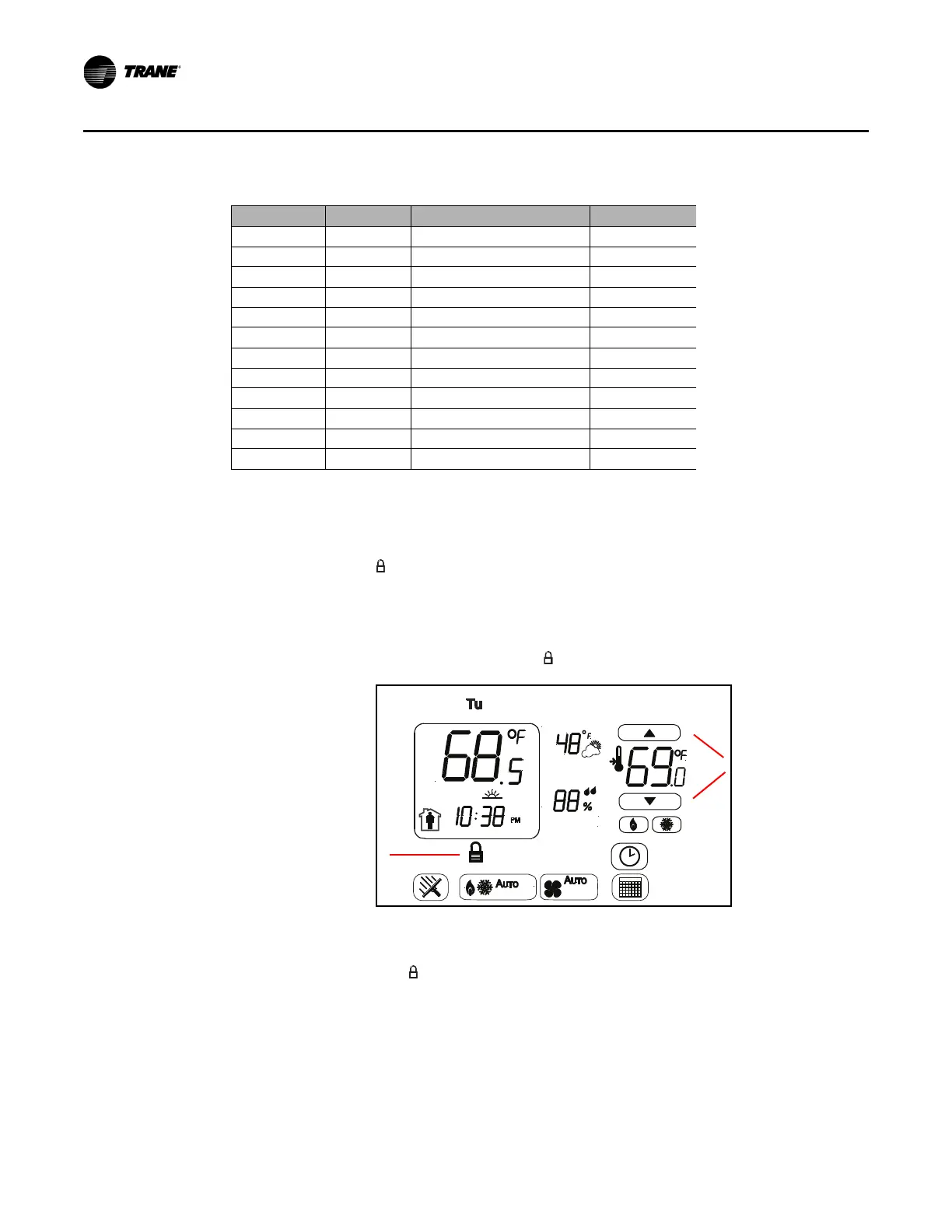
System Lockout
The thermostat can be locked out to prevent unauthorized personnel from changing settings. A lockout
will disable changes to the following modes: System, Fan, Scheduling, Time, and TOV. If a change attempt
is made, the lock icon ( ) will blink (1 Hz, 20/80%) for 10 seconds on the LCD display and then go solid
again.
To lock the thermostat:
• Simultaneously touch and hold both setpoint increment/decrement arrows for 4 seconds as shown
below. When the mode is locked, the lock icon (
) blinks (1 Hz, 20/80%) for 5 seconds and then goes
solid.
To unlock the thermostat:
• Simultaneously touch and hold both increment/decrement arrows for 4 seconds. When the mode is
unlocked, the lock icon ( ) will disappear.
Current (mA) Voltage Relative Humidity Range % (±)
4 1 (Estimated)0 —
4.8 1.2 (Estimated)5 —
5.6 1.4 10 0.5
7.2 1.8 20 0.5
8 2 (Low Calibration Point) 25 0.5
10.4 2.6 40 1.0
12 3 50 1.0
16 4 (High Calibration Point) 75 1.5
18.4 4.6 90 1.5
19.2 4.8 (Estimated) 95 —
20 5 (Estimated) 100 —
Lock System Icon
Setpoint Arrows
Used to Lock/
Unlock Thermostat


 To Next Page
 Loading...