Manage Xenx Driver settings file6.6
P3-1060
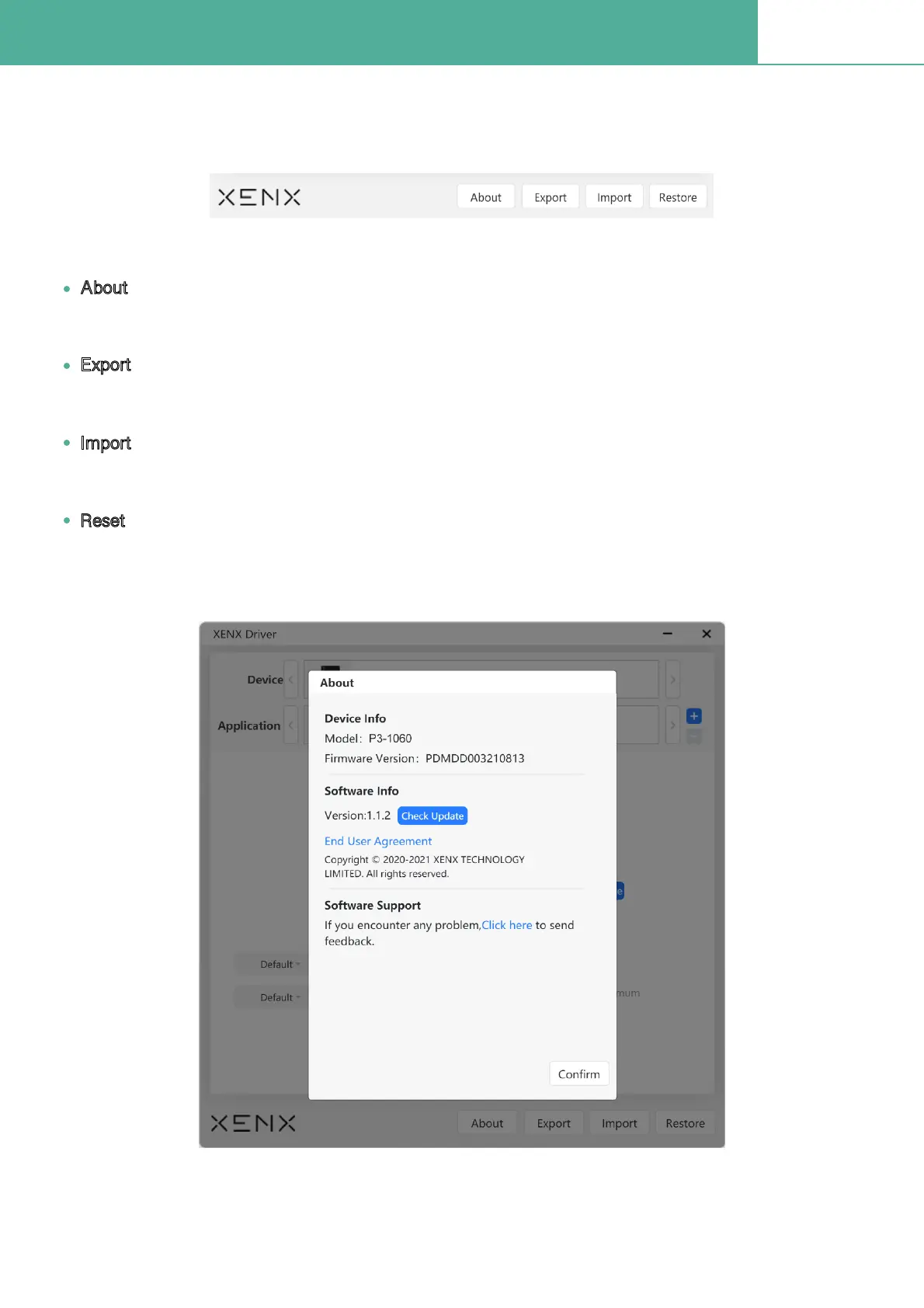
At the bottom section of Xenx Driver, there are four regular buttons:
You can get the driver and Þrmware version information
About
Export
Import
Reset
Backup/export your settings Þle to your computer storage
Restore/import your settings Þle
Clear all customized settings to default values


 To Next Page
 Loading...