Selecting & Playing Voices
P-70 Owner’s Manual
ENGLISH
15
Selecting & Playing Voices
Selecting Voices
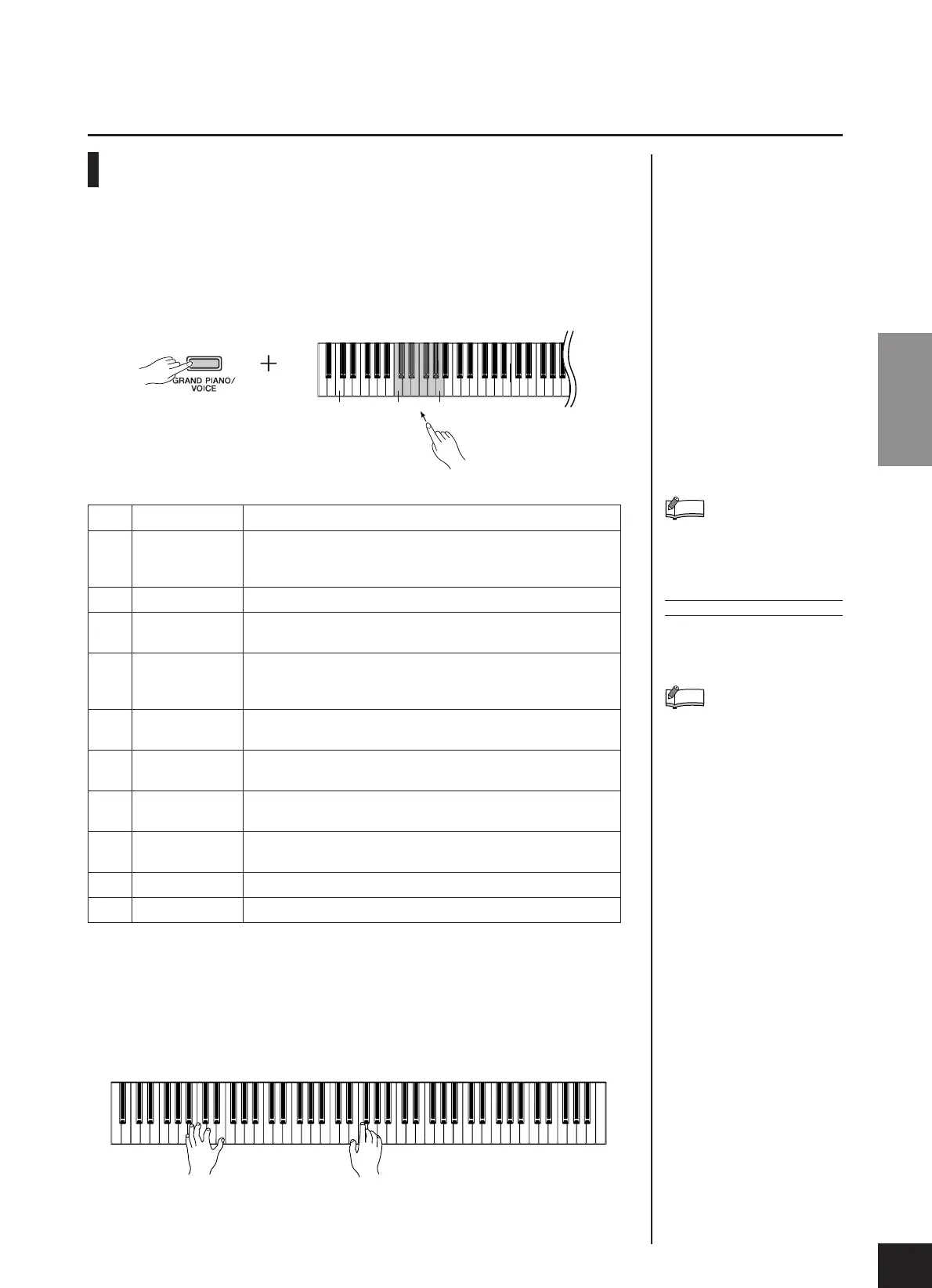
1. While holding down the [GRAND PIANO/VOICE]
button, press one of the C1–A4 keys to select a
voice.
Pressing the [SELECT] button switches among the following ten voices.
2. Adjust the volume.
Re-adjust the [MASTER VOLUME] slider for the most comfortable listening
level during your performance.
C0 C1 A1
To familiarize yourself with the
characteristics of the voices, lis-
ten to the demo songs for each
voice (page 13).
TERMINOLOGY
Voice:
On the P-70, the term “voice”
means “instrument sound.”
When you select a voice, an
appropriate reverb type will be
selected automatically (page 17).
NOTE
NOTE
KeyVoice Name Description
C1 Grand Piano 1
Recorded samples from a full concert grand piano. Perfect for clas-
sical compositions as well as any other style that requires acoustic
piano.
C#1Grand Piano 2 Clear piano with bright reverb. Good for popular music.
D1 E.Piano 1 An electronic piano sound created by FM synthesis. Good for
popular music.
D#1 E.Piano 2
The sound of an electric piano using hammer-struck metallic “tines.”
Soft tone when played lightly, and an aggressive tone when played
hard.
E1 Church Organ 1
This is a typical pipe organ sound (8' + 4' + 2'). Good for sacred
music from the Baroque period.
F1 Church Organ 2
This is the organ’s full coupler sound, often associated with Bach’s
“Toccata and Fugue.”
F#1
Strings Spacious and large-scale string ensemble. Try combining this voice
with piano in DUAL.
G1 Harpsichord 1
The definitive instrument for baroque music. Since the strings of a
harpsichord are plucked, there is no touch response.
G#1 Harpsichord 2
Mixes the same voice an octave higher for a more brilliant tone.
A1 Vibraphone
The sound of a vibraphone played with relatively soft mallets.


 To Next Page
 Loading...