Cancelling Jobs
5
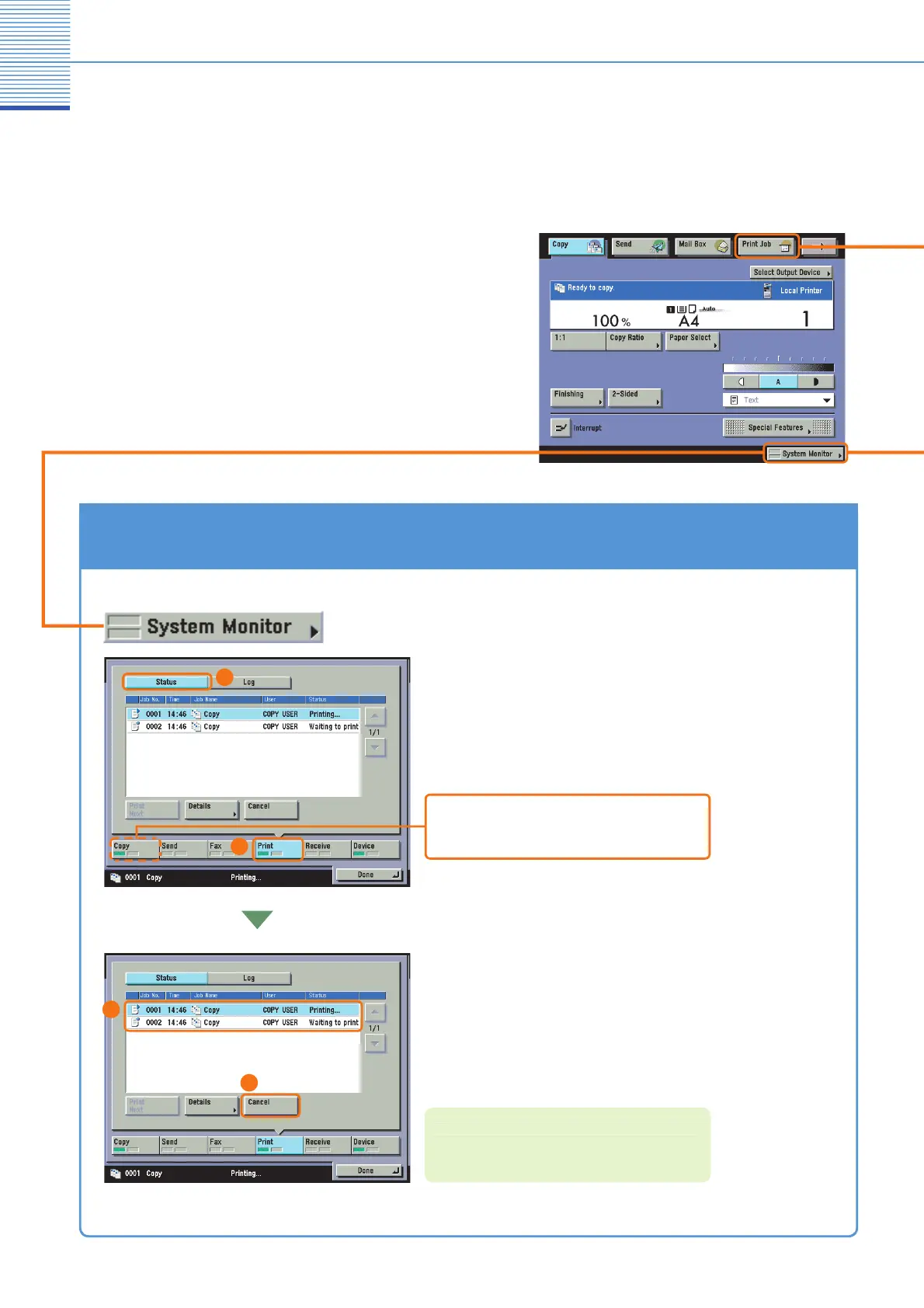
How to Cancel a Job
To cancel a job that is being printed
waiting to be printed,
select [
op
] or [Print] from the ke
s at the bottom of the
stem Monitor screen, and then press [
tatus].
ou cannot select several
obs at the same time to cancel. Cancel
obs
n
t
tim
elect the
ob to cancel, and press [
ancel]
For more information on cancellin
jobs from the
S
stem Monitor screen, see e-Manual > Basic
Operations
pes of jobs printed from the machine include cop
data, data
rom computers, inbox data, received
ax/I-fax documents, and reports. Cancel these jobs
rom the screen displayed when you press [System
Monitor]. You can also cancel sending/receiving jobs
rom that screen. Print jobs can also be cancelled b
ressin
[Print Job] on top of the touch panel display.
* The number in the illustrations refer to operation steps
To Cancel Jobs That Are Being Printed/Waiting to Be Printed ([System Monitor])
or a copy
o
, you can cance
scann
ng or pr
nt
ng
y se
ect
ng
op
]
1
2
4
3


 To Next Page
 Loading...







