Advanced Shooting Functions
145
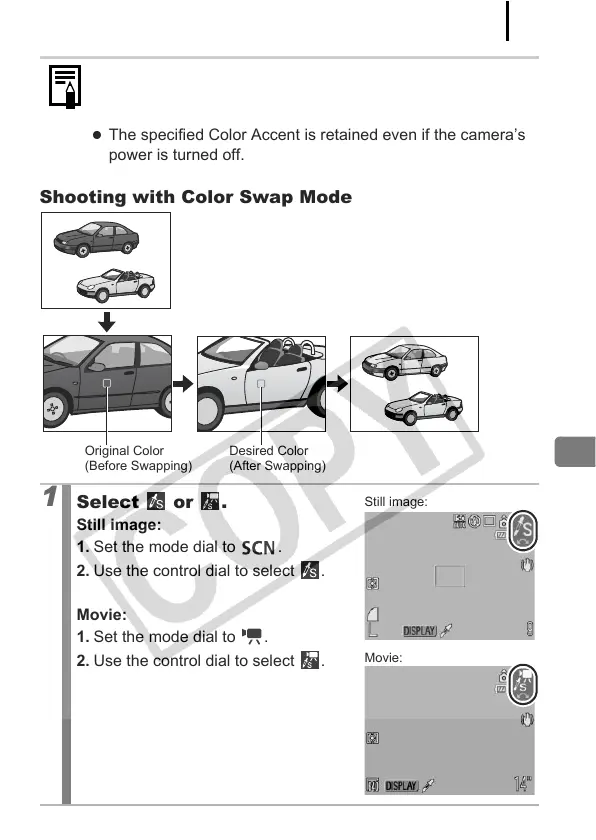
Shooting with Color Swap Mode
z The default Color Accent is green.
z You may not obtain the expected results after color input
mode if you use the flash.
z The specified Color Accent is retained even if the camera’s
power is turned off.
1
Select or .
Still image:
1. Set the mode dial to .
2. Use the control dial to select .
Movie:
1. Set the mode dial to .
2. Use the control dial to select .
Original Color
(Before Swapping)
Desired Color
(After Swapping)
Still image:
Movie:


 To Next Page
 Loading...









