Commonly Used Shooting Functions
77
To Cancel the Self-Timer:
Select .
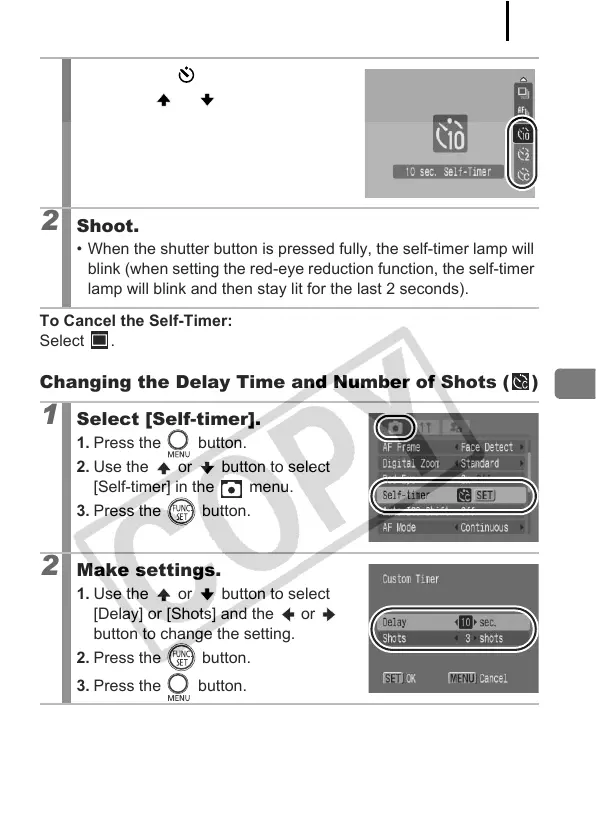
Changing the Delay Time and Number of Shots ( )
1
Press the button.
1. Use the or button to change
the self-timer settings.
2
Shoot.
• When the shutter button is pressed fully, the self-timer lamp will
blink (when setting the red-eye reduction function, the self-timer
lamp will blink and then stay lit for the last 2 seconds).
1
Select [Self-timer].
1. Press the button.
2. Use the or button to select
[Self-timer] in the menu.
3. Press the button.
2
Make settings.
1. Use the or button to select
[Delay] or [Shots] and the or
button to change the setting.
2. Press the button.
3. Press the button.


 To Next Page
 Loading...









