fx-991EX Quick Start Guide2
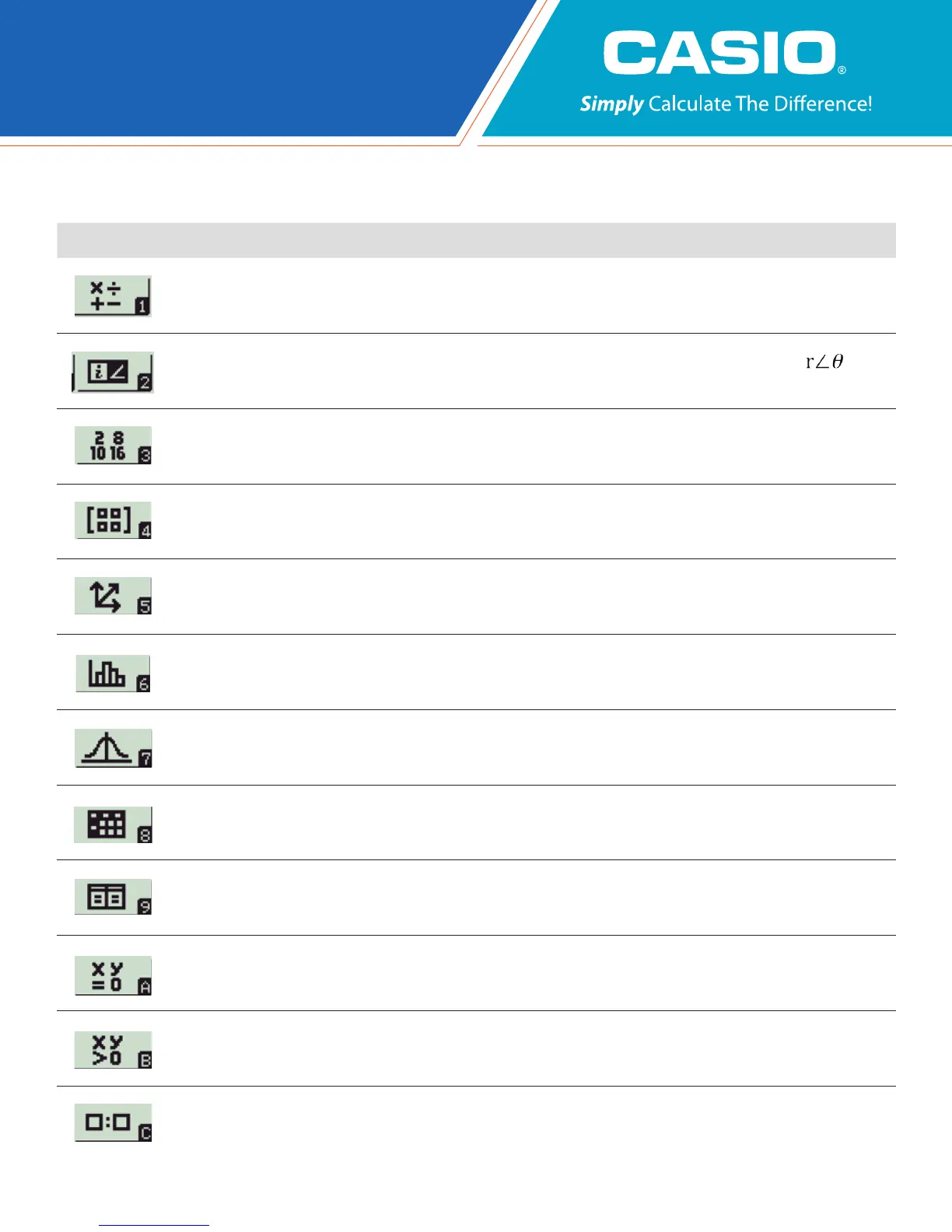
Icon Menu Name Description
CALCULATE
Perform general computations using Natural Textbook Display™ notation, including
absolute value, logs of any base, summation, derivatives, and integrals.
COMPLEX
Perform computations with complex numbers, including a + bi form, polar ( )
form, and conversions between the two.
BASE-N
Perform binary, octal, and hexadecimal computations, and convert among those number
bases and base-10.
MATRIX
Perform operations on matrices up to 4x4, including matrix arithmetic,
determinants, transpositions, and identity matrices.
VECTOR
Perform operations on 2- and 3-dimensional vectors, including vector
arithmetic, dot products, angles, and unit vectors.
STATISTICS
Calculate 13 different one-variable statistics, and apply linear, quadratic,
logarithmic, exponential, and geometric (power) regressions.
DISTRIBUTION
Investigate Normal, Inverse Normal, Binomial, and Poisson probability and
cumulative distributions.
SPREADSHEET
Create spreadsheets with up to 5 columns and 45 rows. Spreadsheet
supports Fill, Cut/Copy/Paste, recursive formulas, Mean, and Sum commands.
TABLE
Create tables of values to compare up to 2 functions simultaneously.
EQUATION/
FUNCTION
Solve simultaneous (systems of) equations with up to 4 unknowns, and
polynomials of up to degree 4.
INEQUALITY
Solve polynomial inequalities of up to degree 4, with the solution set expressed as
a compound inequality.
RATIO
Solve proportions of the form A : B = X : D and A : B = C : X.
The following explains the meaning of each icon on the fx-991EX icon menu



 To Next Page
 Loading...