fx-991EX Quick Start Guide 43
POLYNOMIAL EQUATIONS
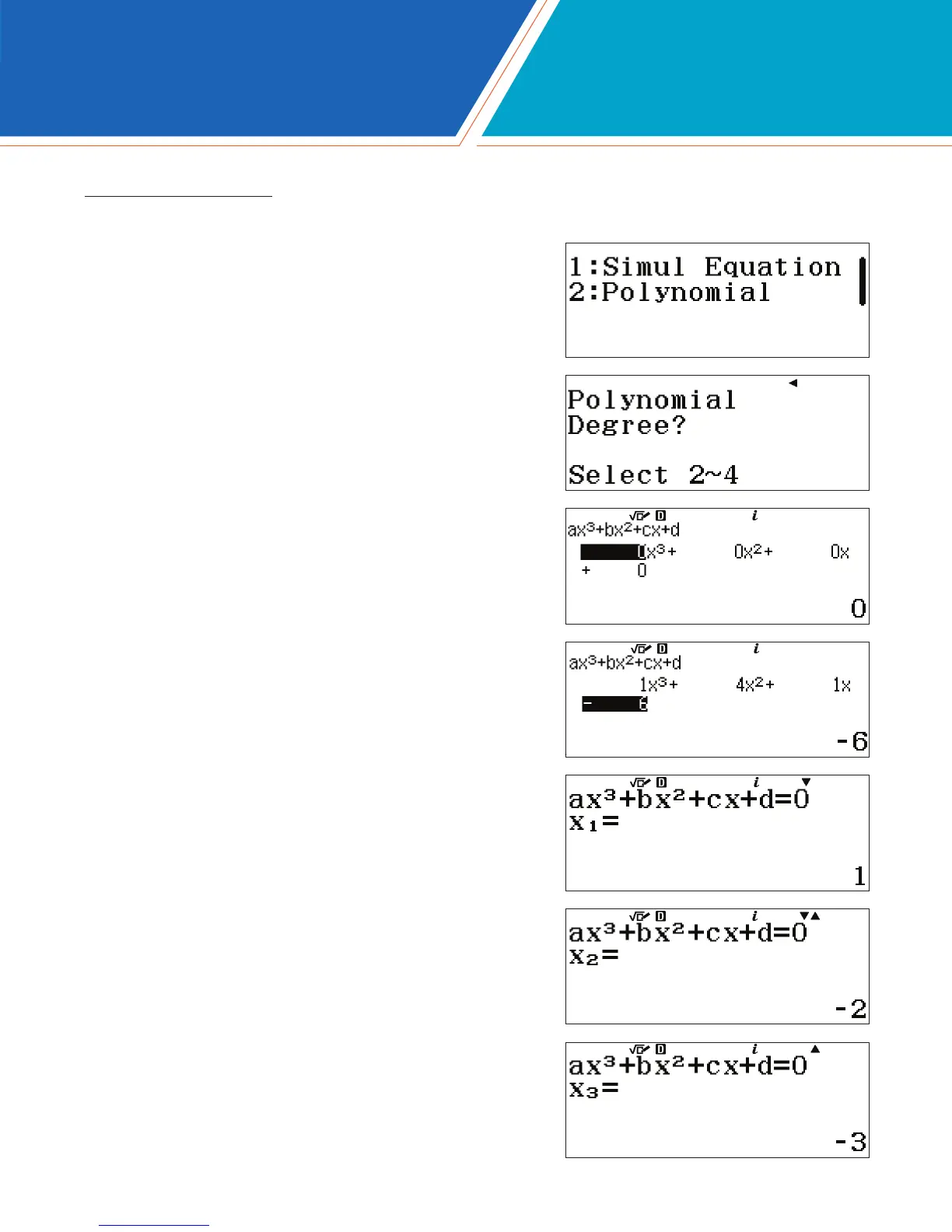
The fx-991EX has the computing power to solve polynomial equations up to 4th degree.
To start solving polynomial equations, in the Equation/Func icon,
press i2(Polynomial).
Select the degree of the polynomial. For this example, use a
3rd degree polynomial. Press 3(Degree).
Fill out the template for a 3rd degree polynomial. Type in each
coefcient followed by the p key.
x
3
+ 4x
2
+x – 6 = 0
Press p to solve the equation.
Use the arrow keys (ER) to toggle through the solutions.
EQUATION/FUNC


 To Next Page
 Loading...