10 Appendix 2 Acoustic Calibrators
10.1 Operation.
Switching on the Calibrator
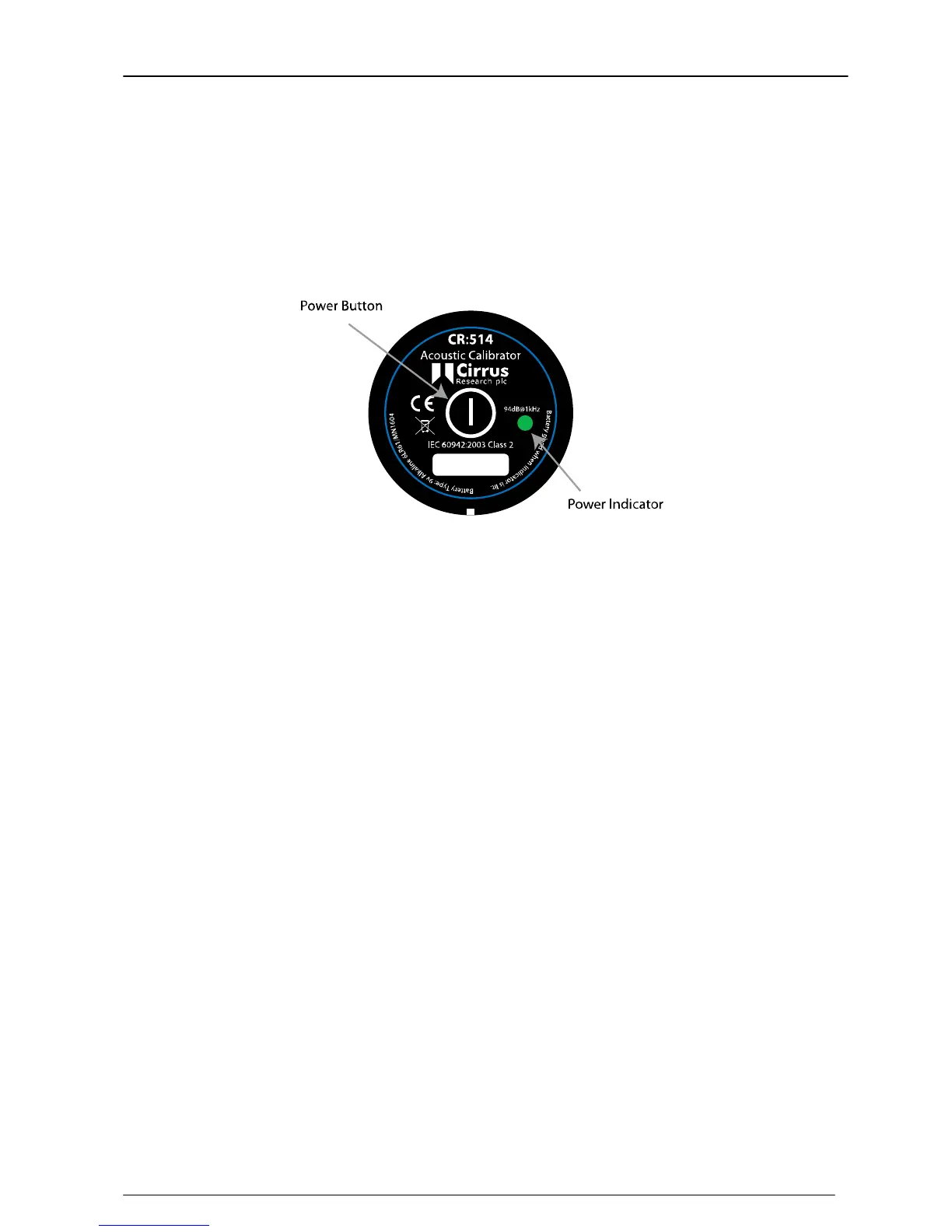
Press the Power Button on the end of the Calibrator to switch the unit on. The Indicator
will illuminate to show that the unit is operating.
The calibrator will automatically switch off after 5 minutes to preserve battery power.
To switch off the calibrator manually, press the power button again and the indicator
will extinguish to show that the unit is switched off.
Permanent-on Mode
For some applications there may be a need to have the calibrator switched on
continuously. To allow for this, the calibrator can be turned on by pressing and holding
the power button for three seconds.
Release the button and the indicator will flash to show that the unit is in permanent-on
mode. Press the power button to switch off the calibrator.


 To Next Page
 Loading...