 To Next PageTo Next PageTo Previous PageTo Previous Page
 Loading...
 Need help?
Do you have a question about the Cisco UCS C240 and is the answer not in the manual?
 General
| Management | Cisco Integrated Management Controller (CIMC) |
|---|---|
| Form Factor | 2U Rack |
| Memory | Up to 3TB DDR4 |
| Storage | Up to 24 x 2.5-inch or 12 x 3.5-inch SAS/SATA HDDs or SSDs |
| Power Supply | Redundant hot-swappable power supplies (various wattage options) |
Information on the documentation set for Cisco Unified Computing System (UCS) C-Series rack-mount servers.
Describes how the guide is structured into chapters and appendices for clarity.
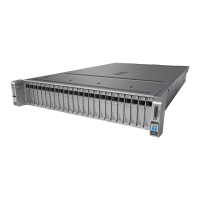
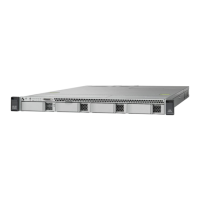
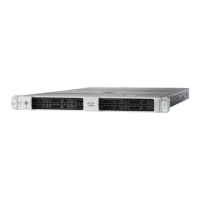
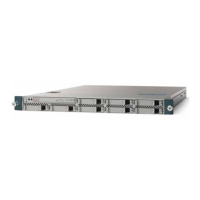
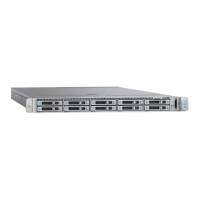
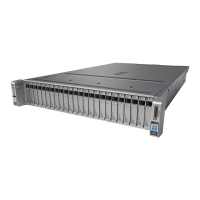
Overview of the external features of the Cisco UCS C240 server, including drive bay configurations.
Lists a summary of the key features of the Cisco UCS C240 server, including chassis, processors, memory, and I/O.
Step-by-step instructions for unpacking and inspecting the server shipment for damage or missing items.
Guidelines and requirements for preparing the server installation environment, including rack and electrical codes.
Detailed procedure for installing the server into a rack using slide rails, including cable management arm.
Steps for connecting and powering on the server for initial setup in standalone mode.
Procedures for updating the server's BIOS and CIMC firmware to ensure compatibility and functionality.
Overview of tools like CIMC and Server Configuration Utility for monitoring and managing the server.
Explains the meaning of front and rear panel LEDs and buttons for server status indication.
Steps to prepare the server for installing or replacing components, including required equipment.
General instructions and overview for installing or replacing various server hardware components.
Lists the physical dimensions and weight of the Cisco UCS C240 server.
Details the power supply options, including AC and DC specifications for the server.
Lists and illustrates the supported power cords and plugs for the Cisco UCS C240 server.
Details supported RAID controllers, their requirements, and necessary cabling for the server.
Details about the embedded MegaRAID controller, its features, and limitations.
Instructions and diagrams for routing cables for RAID controllers and backplanes.
Procedure to restore RAID configuration after replacing a RAID controller.
Points to integration guides for connecting Cisco UCS C-Series servers with UCS Manager.