10/100 Fast Ethernet Switch User’s Guide
20
Connecting The Switch
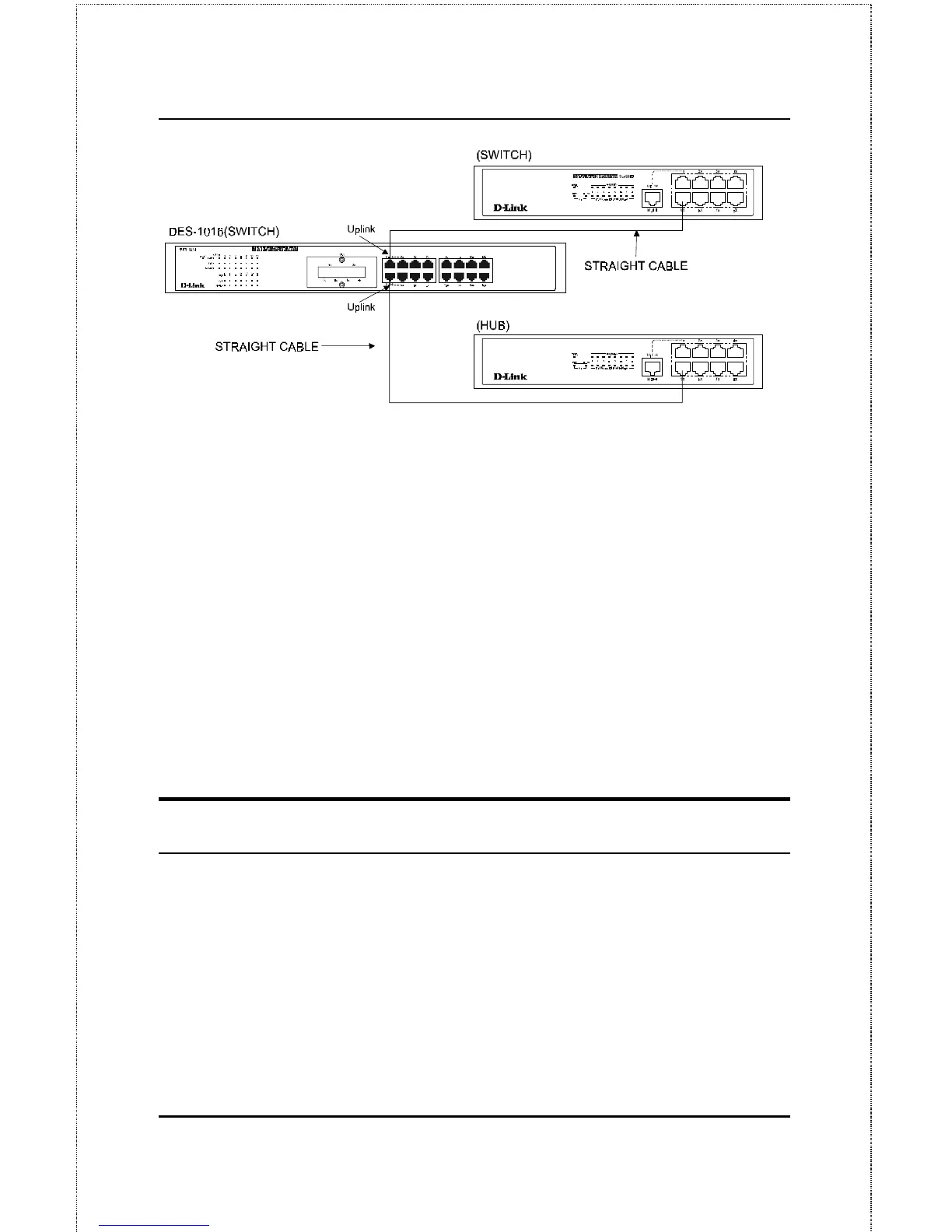
Figure 4.3 DES-1016 Switch connected to a Hub without Uplink (MDI-II) port
using the Straight or crossover cable option
Using straight cable
When using straight cable, the connection can be made from the Uplink
(MDI-II) port of the Switch to any port of the Hub (see figure 11
)
.
Using crossover cable
When using crossover cable, the connection can be made from any MDI-X
ports of the Switch to any port of the Hub (see Figure 4.2).
Switch to Switch (and/or Hub)
The Switch provides two Uplink ports to connect 2 Switches or Hubs using
Category 3, 4, 5 UTP/STP straight cable (see
Appendix B
,
Pin Specification
for cable requirement).



 To Next Page
 Loading...