19
Setting the Cool/Heat Selection Eligibility
(VRV only)
Setting Changes
Refer to "Cool/Heat Selection Eligibility" on page 20 for an explanation of
the cool/heat selection eglibility.
1
Cool
Return Setting
Set to
Cool
28°C
Cool
Set to
Cool
28°C
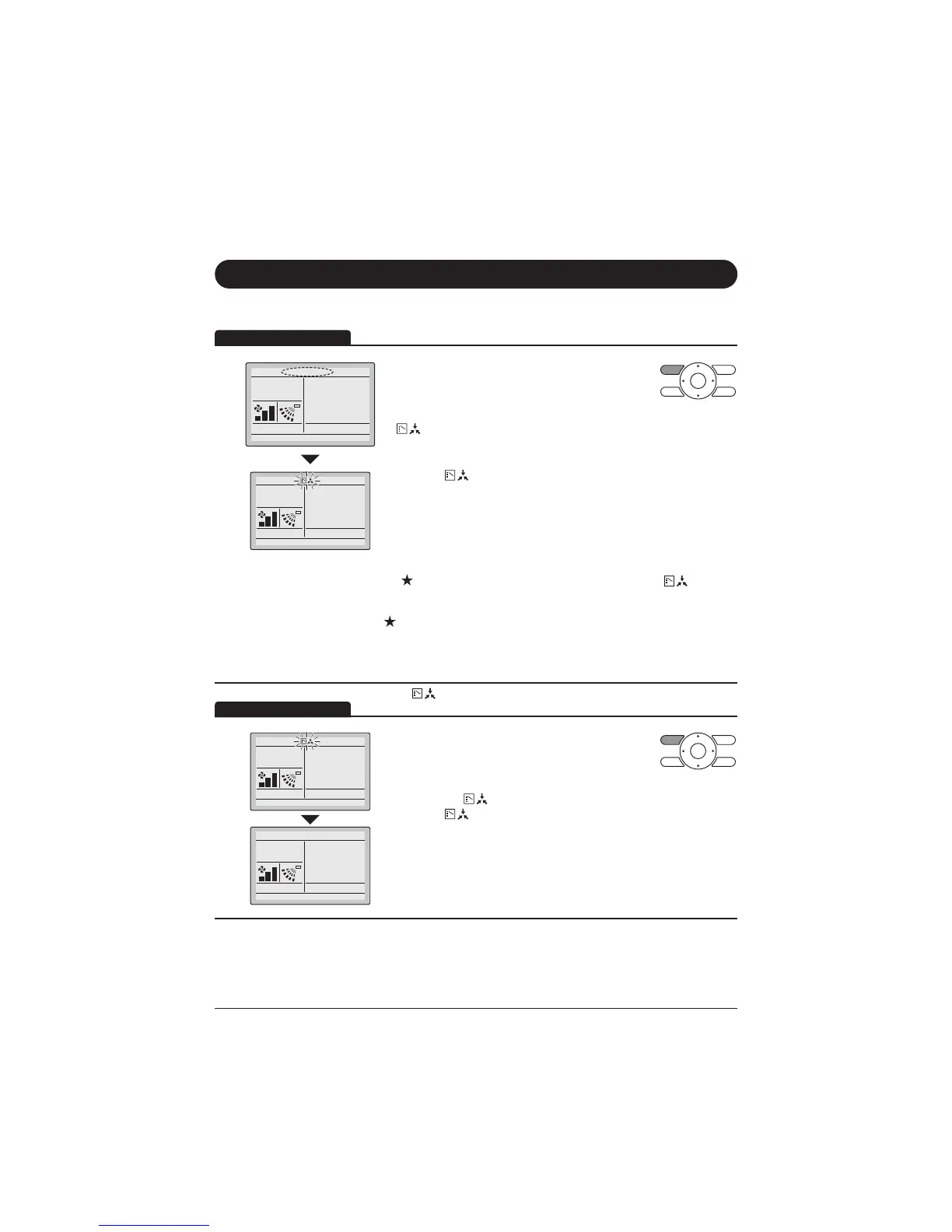
Press Mode Selector button on the remote controller
that has cool/heat selection eligibility for at least
4 seconds. (During backlight lit)
$UHPRWHFRQWUROOHUZLOOQRWGLVSOD\
"
" (Changeover Under Control) if a cool/heat
selection eligibility is granted to the remote
controller.
The icon " " on each remote controller of indoor units
FRQQHFWHGWRWKHVDPHRXWGRRUXQLWRU%6XQLWZLOOVWDUWEOLQNLQJ
*Vent mode setting changes are possible regardless of the cool/
heat selection eligibility.
*If a cool/heat selection eligibility is set in the "Cool/Heat selector"
(
DOOWKHUHPRWHFRQWUROOHUVZLOOGLVSOD\WKHLFRQ " . In
WKLVFDVHQRFRROKHDWVHOHFWLRQHOLJLELOLW\FDQEHVHWLQWKH
remote controllers.
Refer to the Operation Manual attached to the outdoor unit for
the details of the "Cool/Heat selector".
6HWDFRROKHDWVHOHFWLRQHOLJLELOLW\DVIROORZV
Selection Settings
The icon " &KDQJHRYHU8QGHU&RQWUROZLOOEOLQNRQDOOUHPRWH
FRQWUROOHUVZKHQWKHSRZHULVWXUQHGRQIRUWKH¿UVWWLPH
2
Cool
Set to
Cool
28°C
Cool
Set to
Cool
28°C
Press Mode Selector button on the remote
FRQWUROOHUIRUZKLFKWKHVHOHFWLRQHOLJLELOLW\WREH
set.
7KHQWKHFRROKHDWVHOHFWLRQHOLJLELOLW\ZLOOEHVHW
and the icon "
ZLOOGLVDSSHDU
The icon "
ZLOODSSHDURQWKHRWKHUUHPRWH
controllers.



 To Next Page
 Loading...










