32
Ventilation
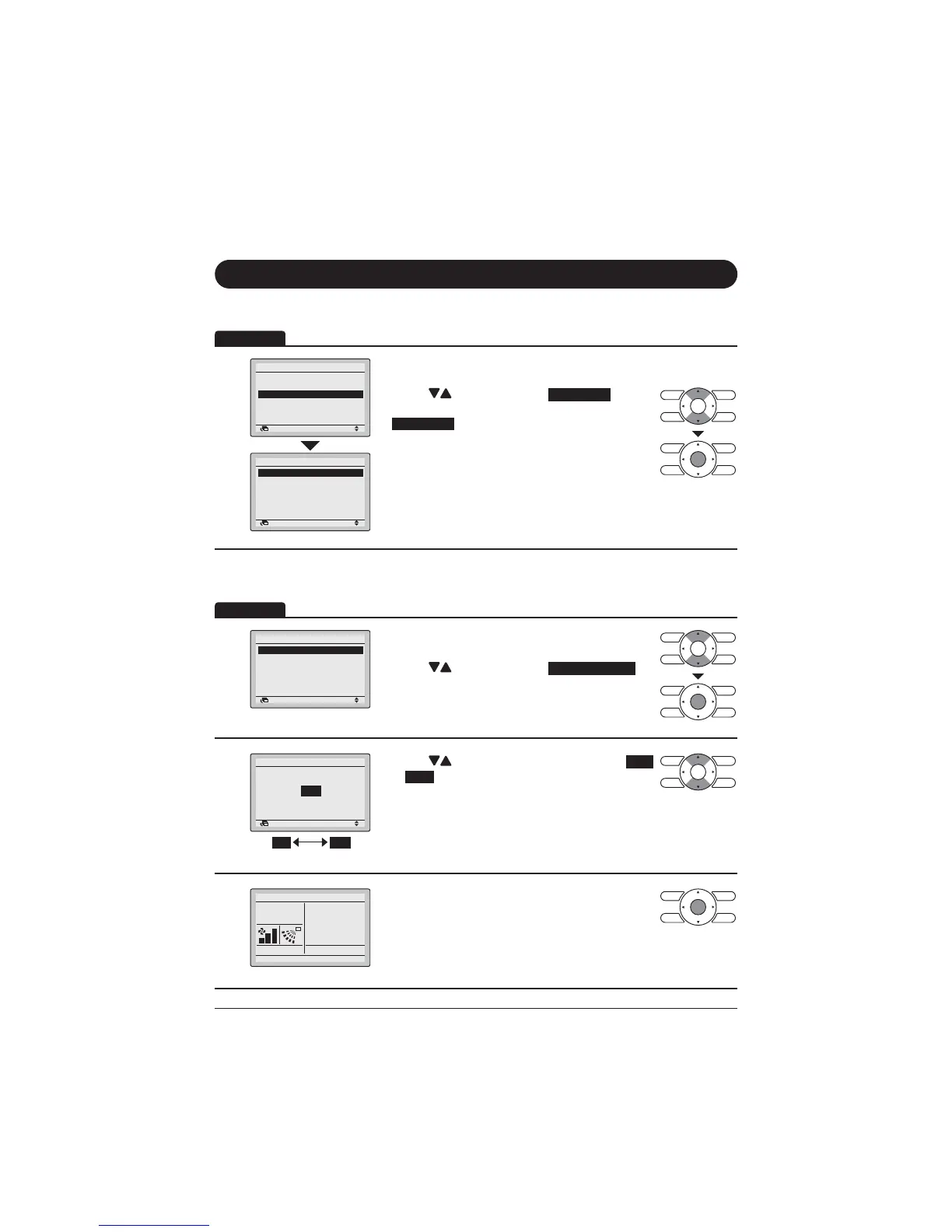
Display Method for Ventilation Screen
1
Retur etti
ai e u
Air Flow Directio
uic tart
e tilatio
er y a i ptio s
chedule
Filter Auto Clea
12
Retur etti
e tilatio
e tilatio Rate
e tilatio ode
22
Display the Main Menu screen.
(Refer to page 27.)
Press " " buttons to select
Ventilation
.
)RUPRGHOVZLWKQRYHQWLODWLRQIXQFWLRQ
Ventilation
ZLOOQRWEHGLVSOD\HG
Press Menu/Enter button to display the Ventilation
screen.
Changing the Ventilation Rate
1
Retur etti
e tilatio
e tilatio Rate
e tilatio ode
22
Display the Ventilation settings screen (Refer to
above).
Press "
" buttons to select
.
Press Menu/Enter button to display the Ventilation
rate screen.
2
Retur etti
Hi h
e tilatio
e tilatio Rate
Low High
Press " " buttons to change the setting to
Low
or
High
.
*Only modes that can be set are displayed.
3
Cool
Set to
Cool
28°C
Select the desired ventilation rate. Press Menu/
(QWHUEXWWRQWRFRQ¿UPWKHVHWWLQJVDQGUHWXUQWR
the Basic screen.
(Press Cancel button to return to the previous
VFUHHQZLWKRXWFKDQJLQJWKHYHQWLODWLRQUDWH
Operation
Operation


 To Next Page
 Loading...











