72 │ Troubleshooting
Built-in diagnostics
Your monitor has a built-in diagnostic tool that helps you determine if
any screen abnormality you experience is an inherent problem with your
monitor, or with your computer and video card.
To run the built-in diagnostics:
Ensure that the screen is clean (no dust particles on the surface of the screen).
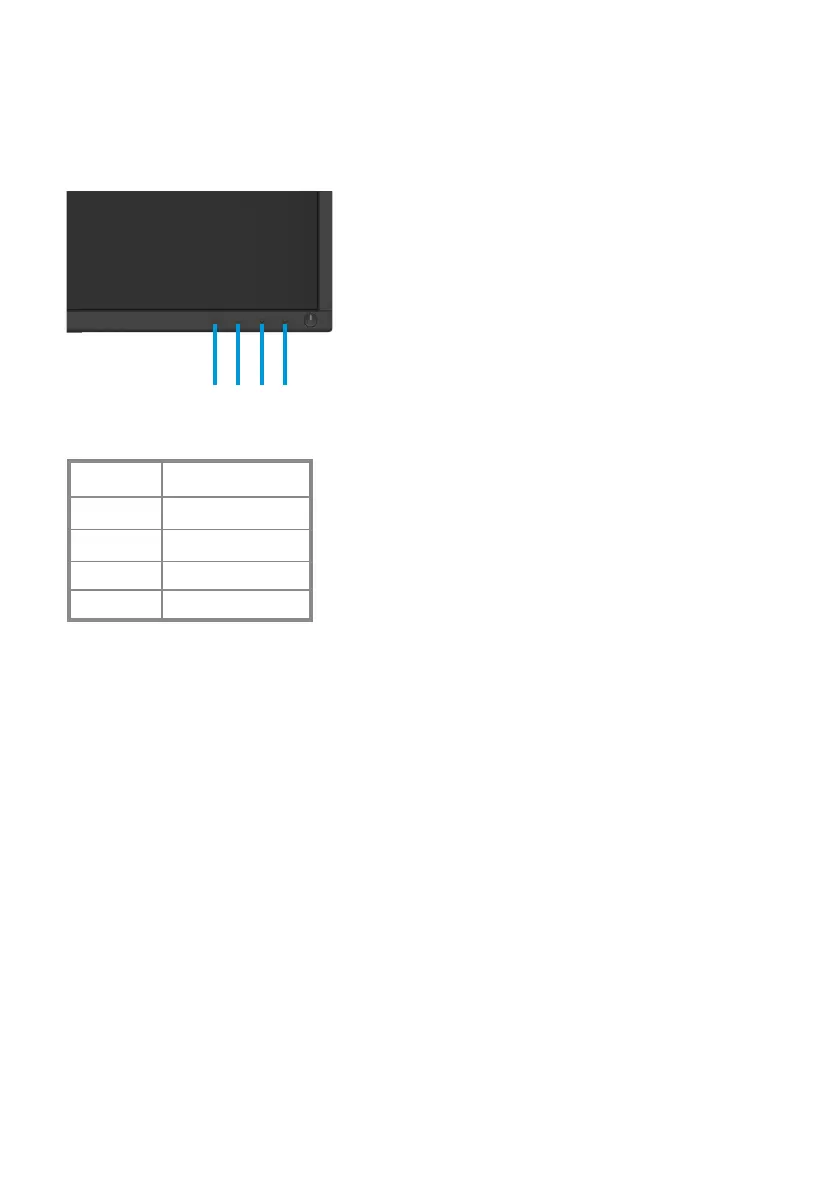
Press and Hold button 1 for about 4 seconds and wait for a pop up menu. Press
Press button 3 or 4 to select the diagnostic tool and confirm with button 2. A
gray test pattern appears at the beginning of the diagnostic program. Carefully
inspect the screen for abnormalities.
Press button 4 to change the test patterns.
Repeat steps 4 and 5 to inspect red, green, blue, black, white and text screens.
Press button 4 to end the diagnostic program.
1.
2.
3.
4.
5.
6.
7.
124 3
1
2
4
3
Label Description
Button 1
But
ton 2
Button 4
Button 3


 To Next Page
 Loading...












