Steps
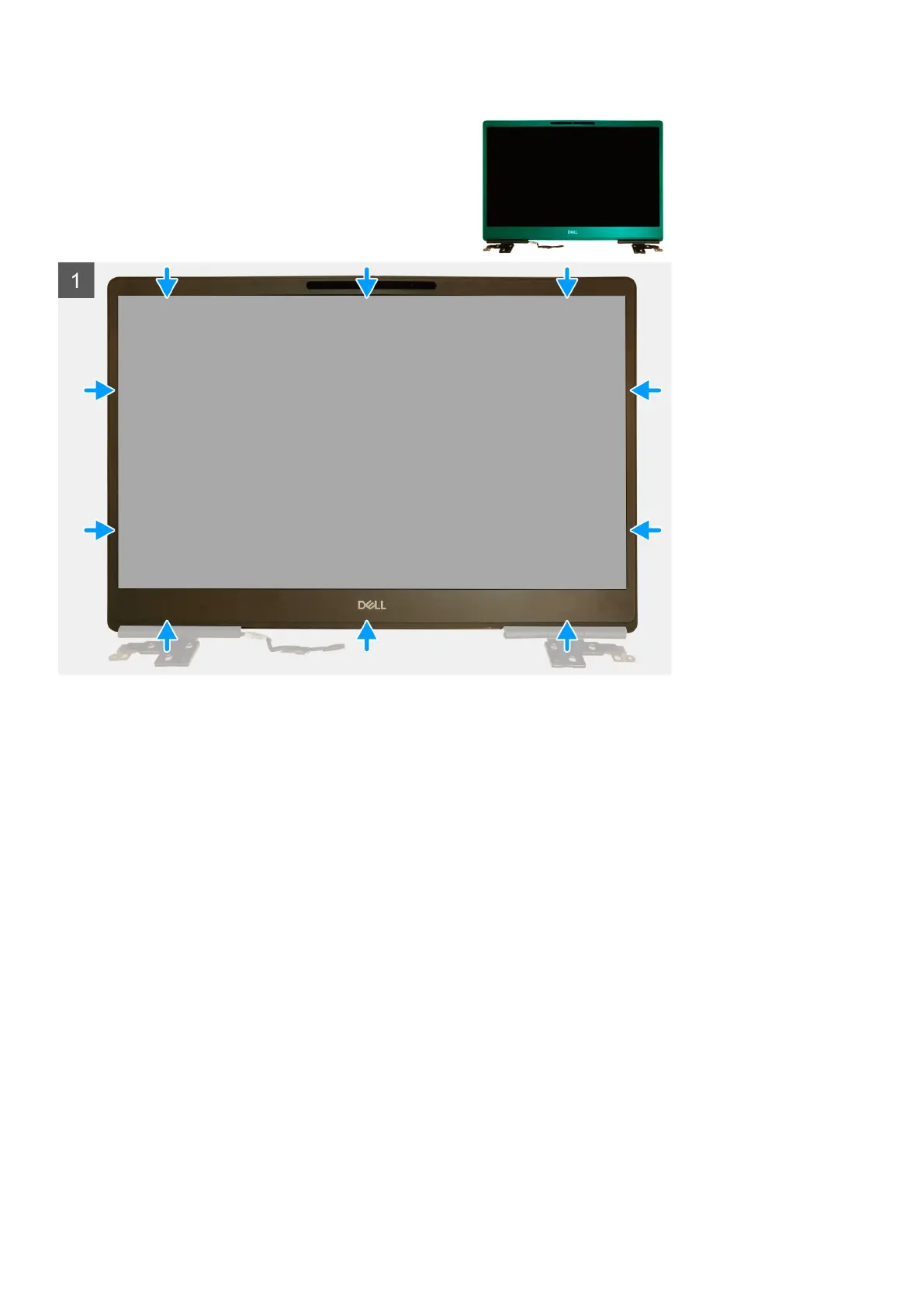
1. Place the display bezel on the display assembly.
2. Press the edges of the display bezel until it clicks onto the display assembly.
Next steps
1. Install the display assembly.
2. Install the middle cap.
3. Install the speaker.
4. Install the system board.
5. Install the GPU card.
6. Install the GPU power cable.
7. Install the inner frame.
8. Install the heat-sink assembly.
9. Install the primary memory.
10. Install the keyboard.
11. Install the keyboard lattice.
12. Install the WLAN card.
13. Install the WWAN card.
14. Install the secondary memory.
15. Install the SIM card.
16. Install the primary M.2 SSD.
17. Install the battery.
18. Install the base cover.
19. Install the secondary M.2 SSD.
20. Install the SSD door.
82
Disassembly and reassembly


 To Next Page
 Loading...













