Chapter 4 Display and Operation|ASDA-B Series
4-14 Revision January 2009
4.1.6 DO Force Output Diagnosis Operation
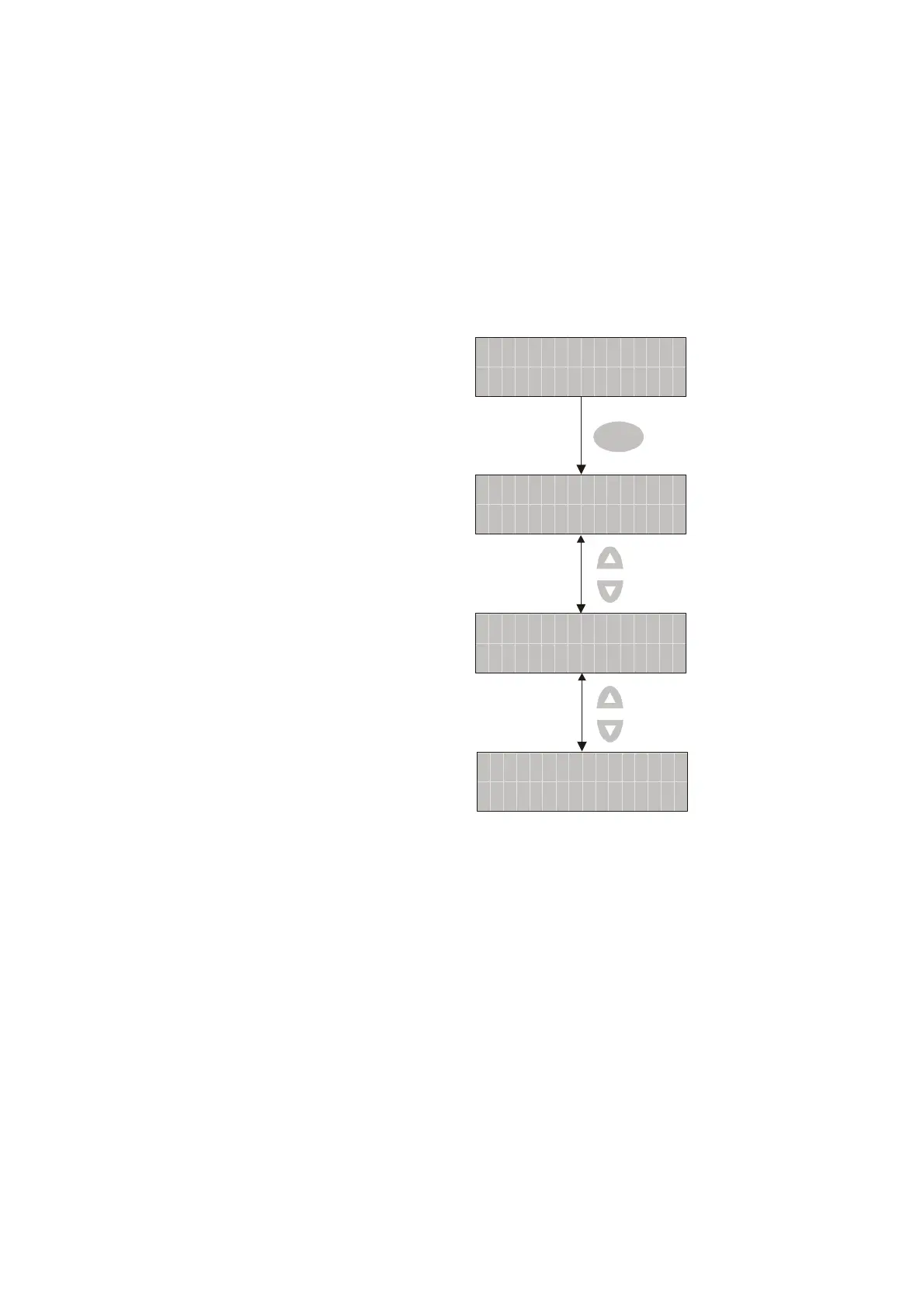
For testing, the digital outputs can be forced to be activated (ON) or inactivated (OFF) by using
parameter P4-06. Follow the setting method in Figure 4.10 to enter into DO force output diagnosis
operation (OP x) mode (“x” indicates the parameter range from 0 to 7). Pressing UP or DOWN arrow
key can change “x” value from 0 to 7 (hexadecimal format) and force digital outputs DO1 to DO3 to be
activated (ON) or inactivated (OFF). The DO function and status is determined by P2-18 to P2-20. This
function is enabled only when Servo Off (the servo drive is disabled).
Figure 4.10
OF
P
:
04
-
6
T
0
SET
P4
-
0
P4
-
1
P4
-
OP
OF
:
06 T
OF
:
06
T
OF
:
06 T
OP
2OP
Force DO1 to be activated
Force DO2 to be activated
Force DO3 to be activated


 To Next Page
 Loading...