65
Advanced Features
3
64
100−0009100−0009
STARTSTART
VOICE MEMOVOICE MEMO
RECREC STANDBYSTANDBY
CANCELCANCEL
30s30s
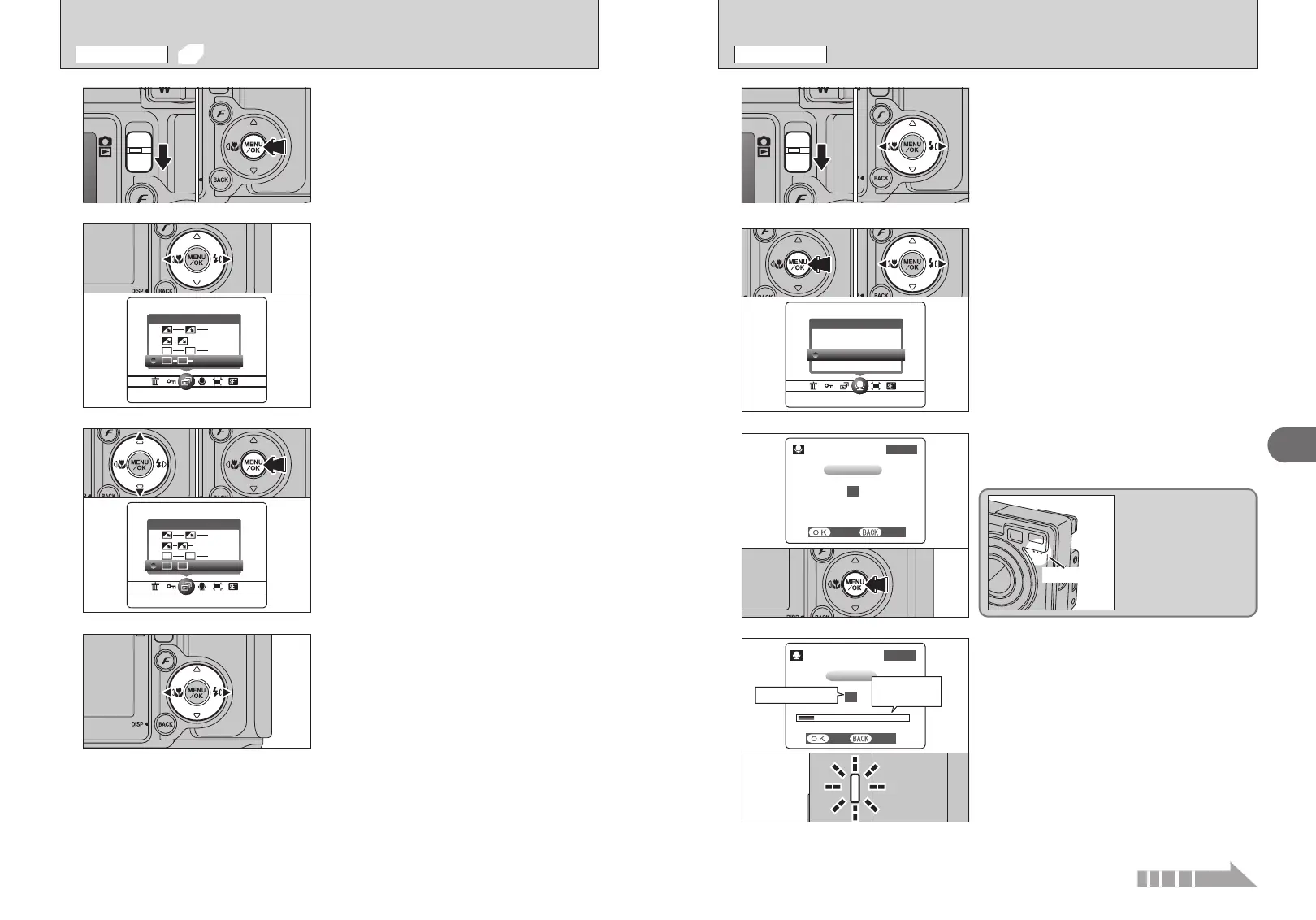
t RECORDING VOICE MEMOS
PLAYBACK MENU
1
Voice memos can be added to still images.
h Audio recording format: WAVE (➡P.119)
PCM recording format
h Audio file size: Approx. 480 KB
(for a 30-second voice memo)
1Set the Mode switch to “
w”.
2Press “d” or “c” to select the image (still image)
to add a voice memo.
01 02
2
4
1Press the “MENU/OK” button to display the
menu on the LCD monitor.
2Press “d” or “c” to select “t” VOICE MEMO.
3Press the “MENU/OK” button.
●
!
To end your comment during recording, press the “MENU/OK”
button.
●
!
Voice memos cannot be added to movies.
●
!
When “o” appears, unprotect the frame.
The remaining recording time appears during
recording and the self-timer lamp blinks.
When the time remaining reaches 5 seconds, the
self-timer lamp starts blinking quickly.
01 03 02
3
“5” appears on the LCD monitor.
Press the “MENU/OK” button to begin recording.
Face the microphone on
the front of the camera
to record your comment.
Hold the camera about
20 cm (7.9 in.) away for
the best results.
Microphone
100−0009100−0009
RECREC
VOICE MEMOVOICE MEMO
RECORDINGRECORDING
RE−RECRE−REC
25s25s
Remaining time
Elapsed time
progress bar
2
Press “d” or “c” to select “g” PLAYBACK.
1
1Set the Mode switch to “w”.
2Press the “MENU/OK” button to display the menu
on the LCD monitor.
●
!
The Power save function does not operate during playback.
●
!
Movies start automatically. When the movie ends, the
playback function moves it on.
3
4
1Press “a” or “b” to select the playback interval
and the type of image transition.
2Press the “MENU/OK” button. The image frames
are advanced and played back.
To interrupt PLAYBACK, press “a” (or “MENU/OK”
button).
●
!
Press the “BACK (DISP)” button once during playback to
display the playback frame number and on-screen help.
01 02
Press “d” or “c” to advance or go back through
the images.
01 02
g AUTOMATIC PLAYBACK
PLAYBACK MENU
Continued


 To Next Page
 Loading...









