EasyManua.ls Logo

Furuno 1830 - Nav Data Display (Option)

Furuno 1830
66 pages
Print Icon
To Next Page IconTo Next Page
To Previous Page IconTo Previous Page
Loading...
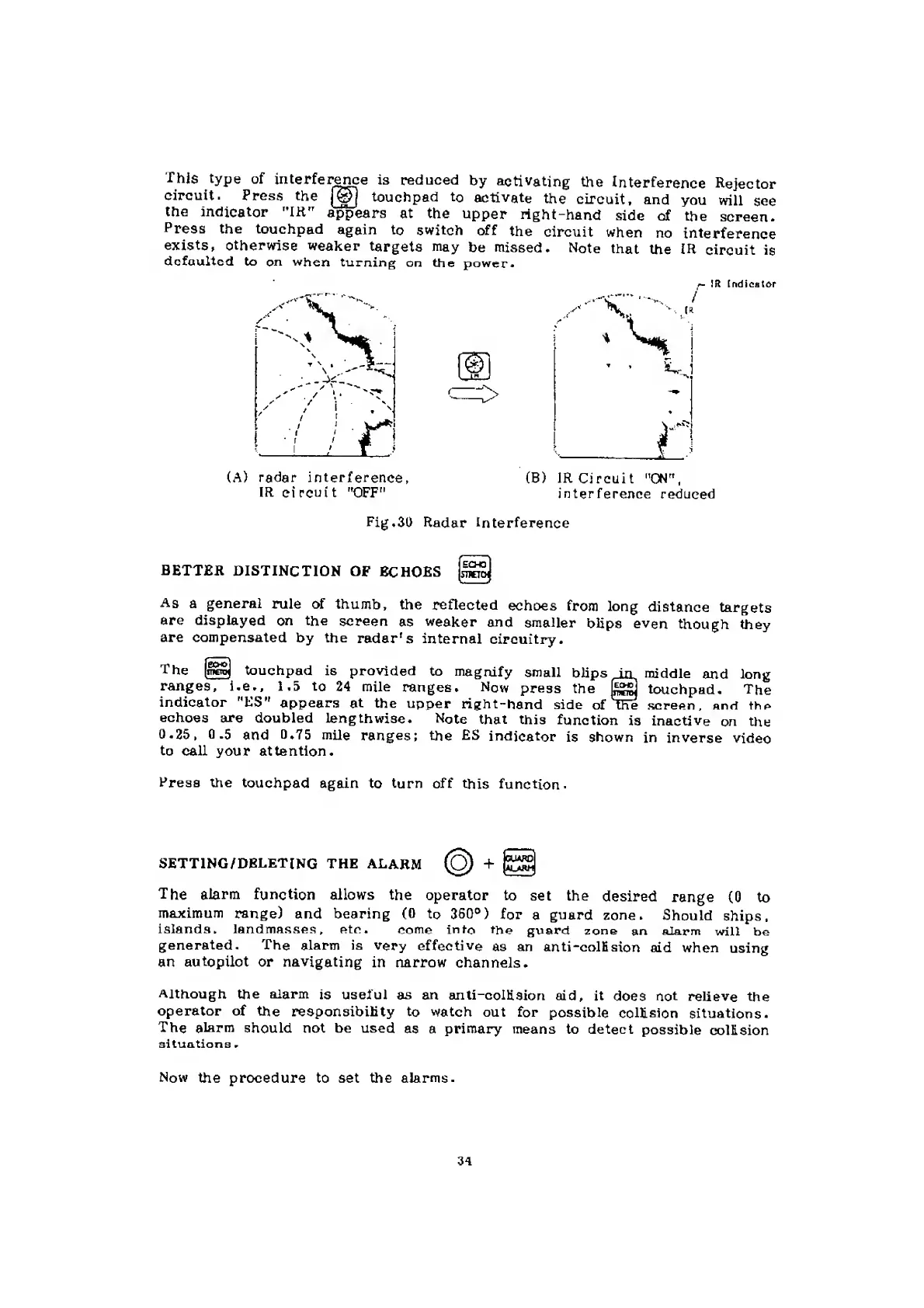
This
type
of
interfer^ce
is
reduced
by
activating
the
Interference
Rejector
Circuit.
Press
the
touchpad
to
activate
the
Circuit,
and
you
will
see
the
indicator
"IH"
appears
at
the
upper
right-hånd
side
of
the
screen.
Press
the
touchpad
again
to
switch
off
the
Circuit
when
no
interference
exists,
otherwise
weaker
targets
may
be
missed.
Note
that
the
IR
circuit
is
defaultcd
to
on
when
turning
on
the
power.
(A)
radar
interference,
IR
Circuit
"OFF"
(B)
IR
Circuit
"ON",
interference
reduced
Fig,30
Radar
Interference
BETTER
DISTINCTION
OF
BCHOES
Eon
niEm
V..
As
a
general
rule
of
thumb,
the
reftected
echoes
from
long
distance
targets
are
displayed
on
the
screen
as
weaker
and
smaller
blips
even
though
they
are
compensated
by
the
radar's
internal
circuitry.
The
touchpad
is
provlded
to
magnify
small
bHps
in
middle
and
long
ranges,
i.e.,
1.5
to
24
mile
ranges,
Now
press
the
touchpad.
The
indicator
"ES"
appears
at
the
upper
right-hand
side
of
toe
screen,
and
the
echoes
are
doubled
lengthwise.
Note
that
this
function
is
inactive
on
the
0.25,
0.5
and
0.75
mile
ranges;
the
ES
indicator
is
shown
in
inverse
video
to
call
your
attention.
Press
the
touchpad
again
to
turn
off
this
function.
SETTING/DBLETING
THE
ALARM
nuArø
UlarH
The
alarm
function
allows
the
operator
to
set
the
desired
range
(0
to
maximum
range)
and
bearing
(0
to
360°)
for
a
guard
zone.
Should
ships.
Islands,
landmasses,
etc.
come
in
to
the
guard
zone
an
alarm
will
be
generated.
The
alarm
is
very
effective
as
an
anti-colBsion
aid
when
using
an
autopilot
or
navigating
in
narrow
channels.
Although
the
alarm
is
useful
as
an
anti-colKsion
aid,
it
does
not
relieve
the
operator
of
the
responsibility
to
watch
out
for
possible
coltsion
situations.
The
alarm
should
not
be
used
as
a
primary
means
to
detect
possible
collision
situations
.
Now
the
procedure
to
set
the
alarms.
3a

Related product manuals