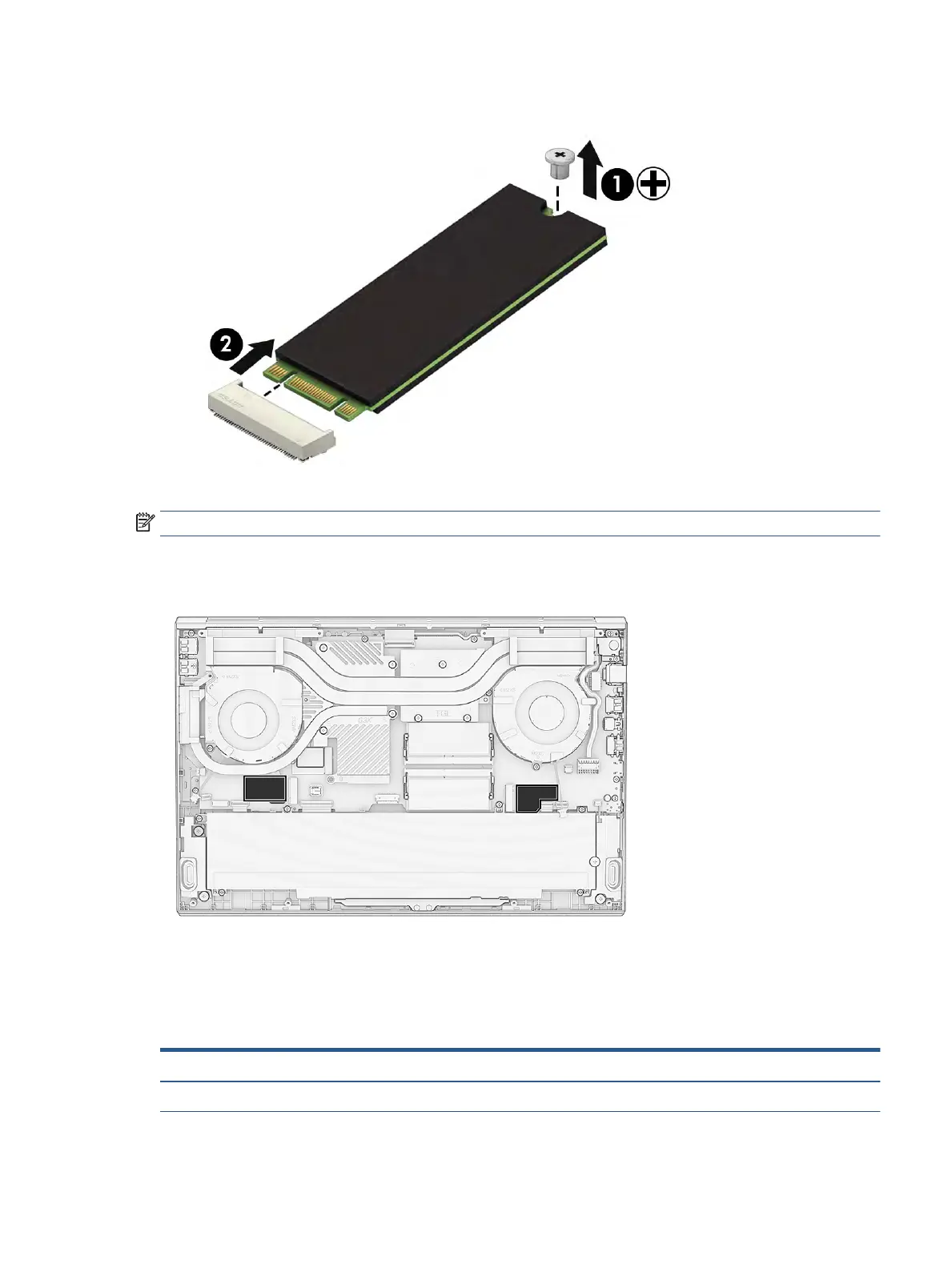
2. Pull the drive out of the socket to remove it from the computer (2).
To install the solid-state drive, reverse the removal procedures.
NOTE: Solid-state drives are designed with a notch to prevent incorrect insertion.
The computer oers two solid-state drive slots. Both drives require that you install a thermal pad on the
drive. See the following illustration for drive locations and associated thermal pad shapes.
Memory modules
To remove the memory modules, use this procedure and illustration.
Table 5-4 Memory module descriptions and part numbers
Description Spare part number
Memory module, 16 GB (DDR4-3200) L67710-001
Component replacement procedures 35


 To Next Page
 Loading...