Getting Started Guide 35
Chapter 3: Upgrading and routine care
1. Save your work and shut down the computer.
2. Disconnect all external devices connected to the computer.
3. Unplug the power cord from the AC outlet.
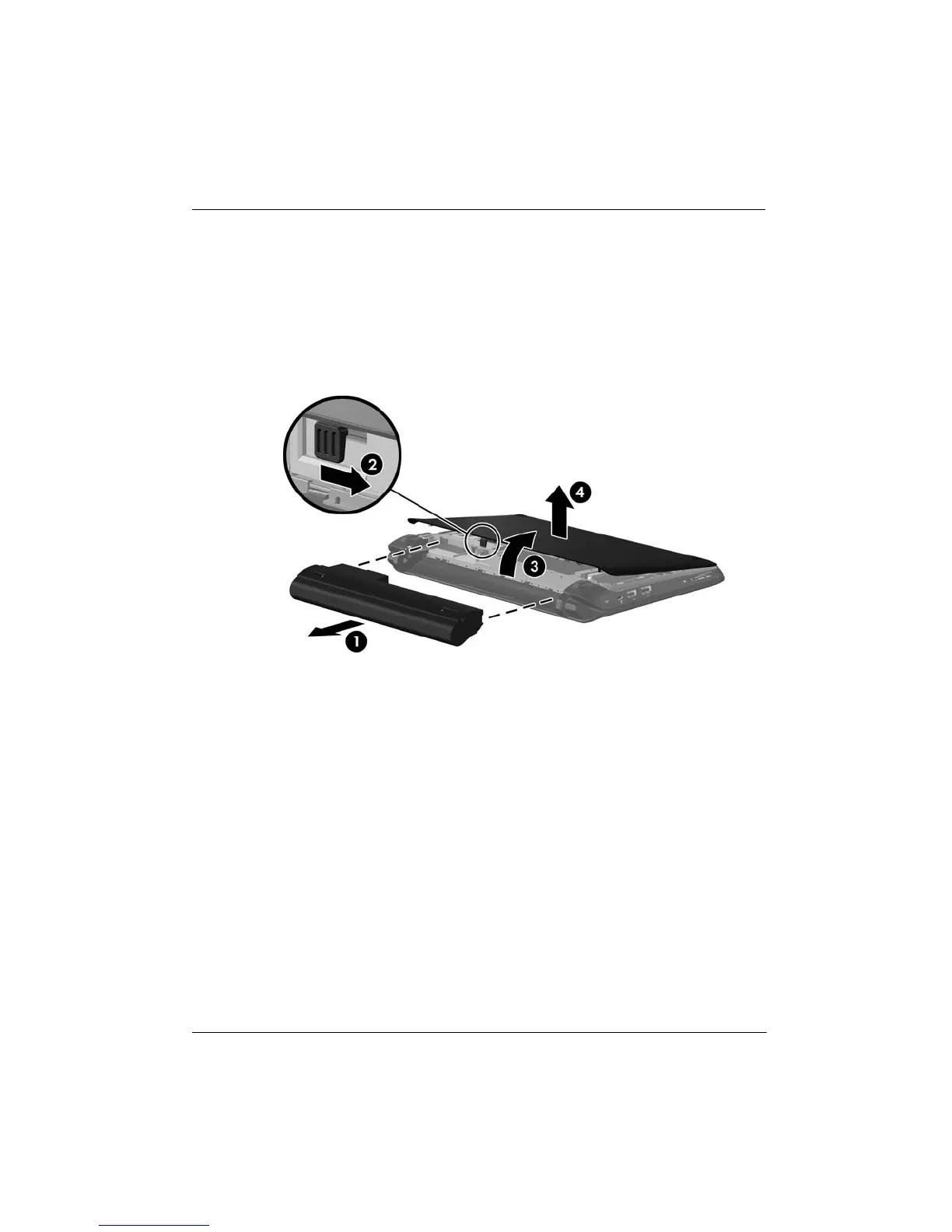
4. Remove the battery 1 from the computer.
5. Remove the vanity cover:
a. Slide the inner release latch 2 to loosen the vanity cover.
b. Lift the back edge 3 of the vanity cover, and then remove it from the computer 4.
6. Remove the existing memory module:
Ä
CAUTION: To prevent damage to the memory module, hold the memory module
by the edges only. Do not touch the components on the memory module.
a. Pull away the retention clips 1 on each side of the memory module.
The memory module tilts up.


 To Next Page
 Loading...