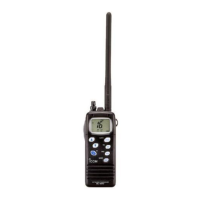
30
9
DSC OPERATION
9
10
15
18
13
11
16
14
12
17
1
7
4
2
8
5
3
6
D Sending a Group call
A Group call enables you to send a DSC call to only a specic group.
L You can send a Group call to a pre-entered group address, or manually enter the address
before sending. (p. 22)
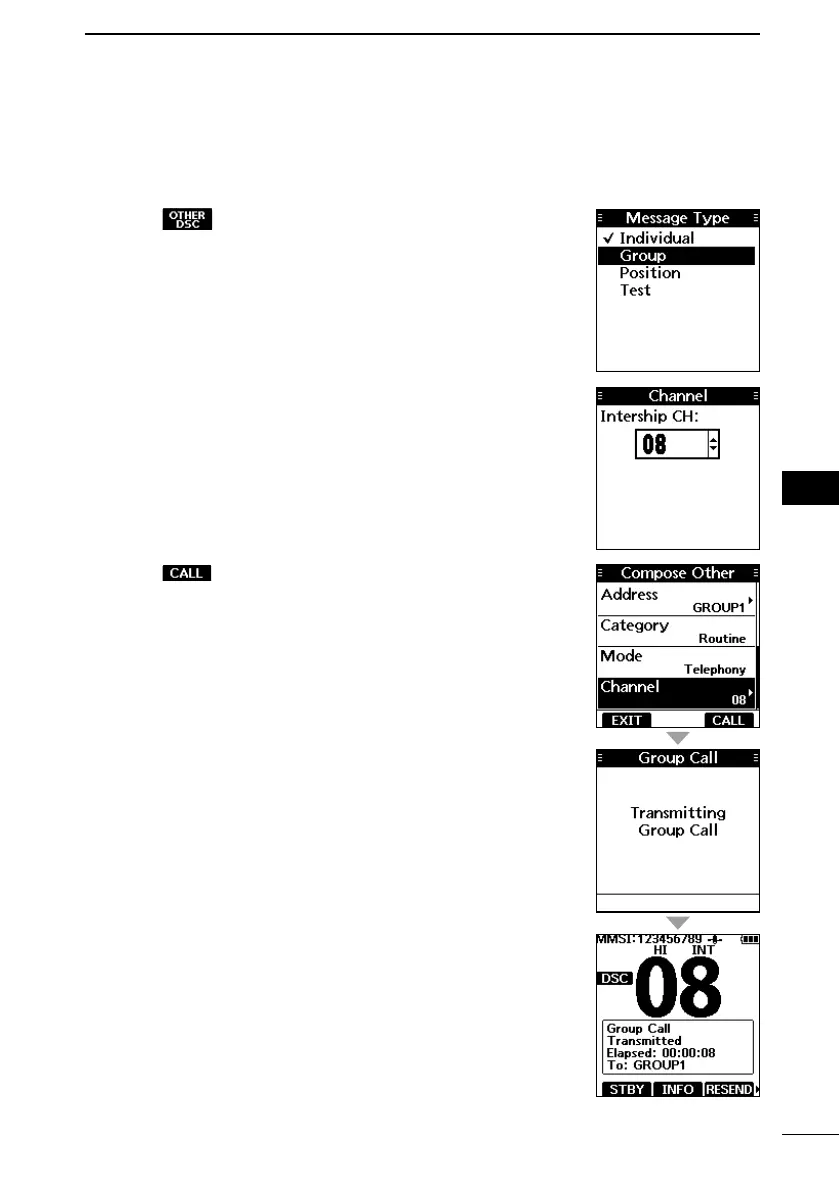
1. Push .
• The “Compose Other” screen is displayed.
L You can also display the “Compose Other” screen by
selecting the “Compose Other” item on the Menu screen.
2. Select “Message Type,” and then push [ENT].
• The “Message Type” screen is displayed.
3. Select “Group,” and then push [ENT].
• The Group call is selected, and returns to the “Compose
Other” screen.
4. Select “Address,” and then push [ENT].
• The “Address” screen is displayed.
5. Select the group to send a Group call, and then push
[ENT].
L You can also select “Manual Input” to manually enter the
target group.
6. Select “Channel,” and then push [ENT].
7. Select the channel to assign, and then push [ENT].
L The assigned channels are preset by default.
8. Push to send the Group call.
• “Transmitting Group Call” is displayed, and then the assigned
channel is automatically selected.
L If Channel 70 is busy, the transceiver stands by until the
channel becomes clear.
9. Hold down [PTT] to communicate.


 To Next Page
 Loading...