21
5
MEMORY OPERATION
■ Memory clearing
Contents of programmed memories can be cleared (blanked),
if desired.
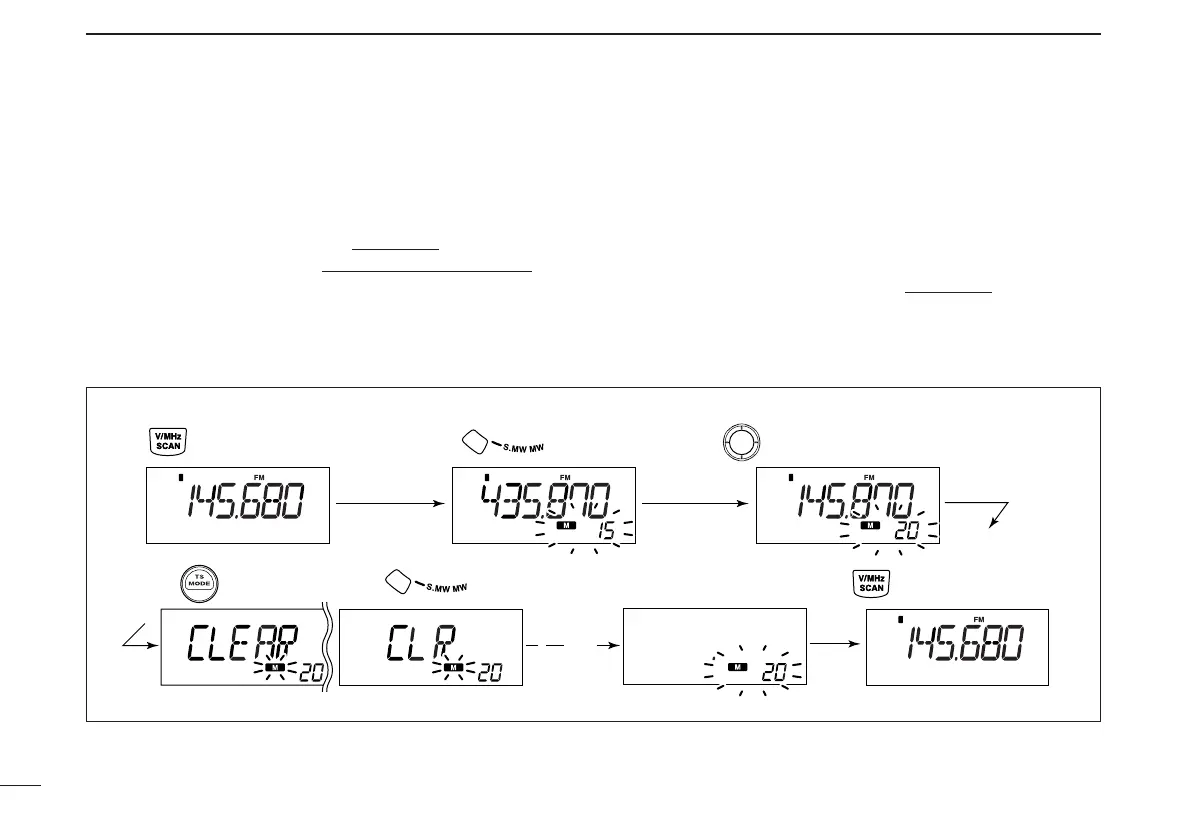
qPush [V/MHz•SCAN] to select VFO mode
.
wPush [S.MW•MW] to enter select memory write mode
.
•“!” and the memory channel number blink.
eRotate [DIAL] to select the memory channel to be cleared.
rPush [TS•MODE] three times to select “CLEAR,” then
push and hold [S.MW•MW] for 1 sec.
•3 beeps sound.
• The cleared channel changes to blank channel
•“!” and the memory channel number blink continuously.
tPush [V/MHz•SCAN] to return to VFO mode.
☞NOTE: Be careful!— the contents of cleared memories
CANNOT be recalled.
[EXAMPLE]: Clearing memory channel 20.
Rotate for selecting memory channel.
Push .



 To Next Page