3
How do I setup the Eagle 1500?
1. Connect the Eagle 1500 to a power outlet near the exisiting wireless router (about 3 meter).
2. Connect the Eagle 1500 to your computer using the enclosed network cable.
3. Open your WEB browser (Internet Explorer, Chrome etc.) and enter the address
Enter the address http://jensen.setup and click enter.
* If the address http://jensen.setup is not working you can try http://192.168.39.1
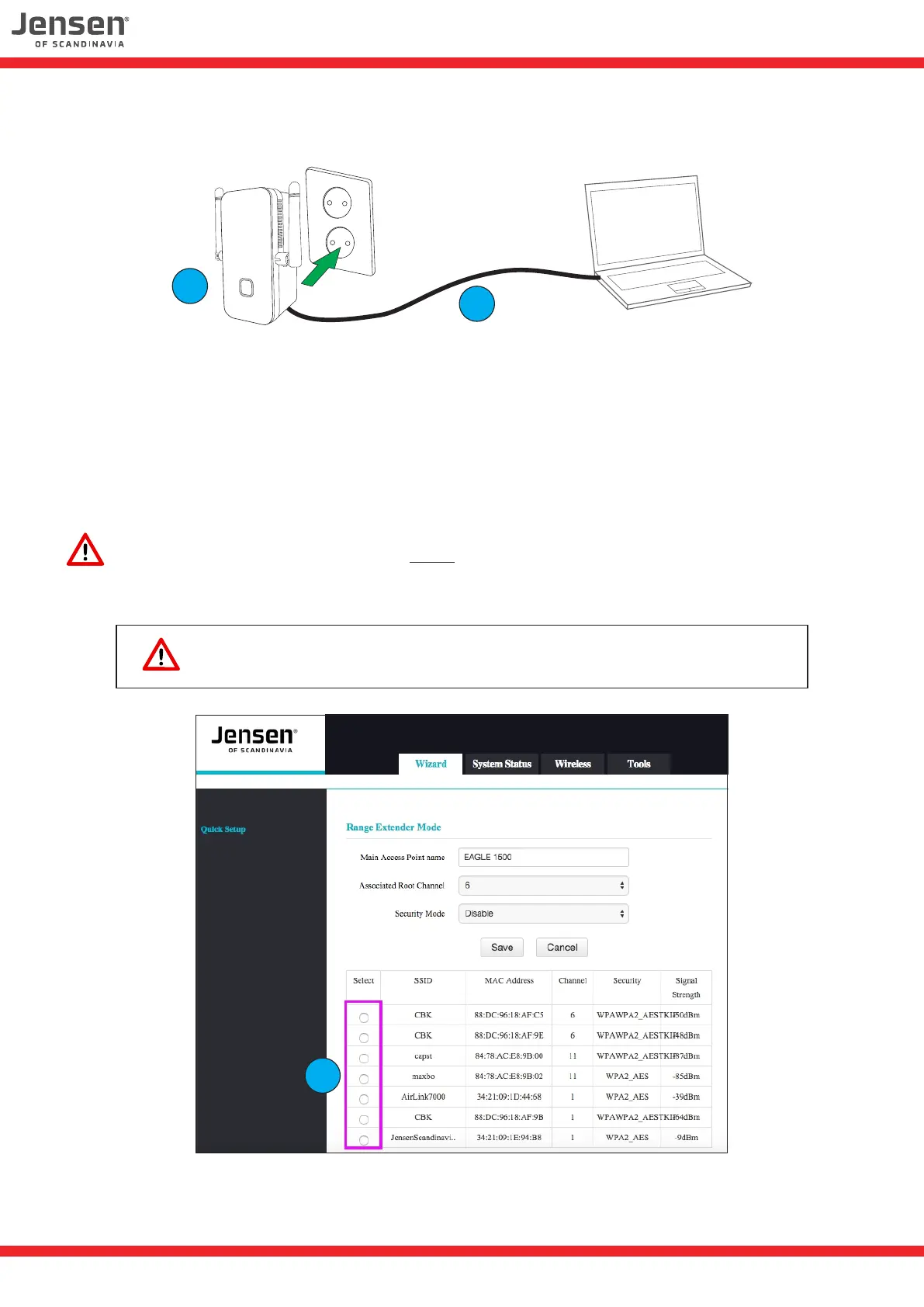
You should now see the setup page for the Eagle 1500.
4
4. Select the your wireless network from the list.
1
2
Adressen http://jensen.setup og http://192.168.39.1 fungerer KUN når
datamaskinen du bruker er tilkoblet Eagle 1500 via trådløst eller kabel.


 To Next Page
 Loading...