My Eagle 1500 will not connect to my network?
Please see below steps if you have any problems with the Eagle 1500.
1. Placement
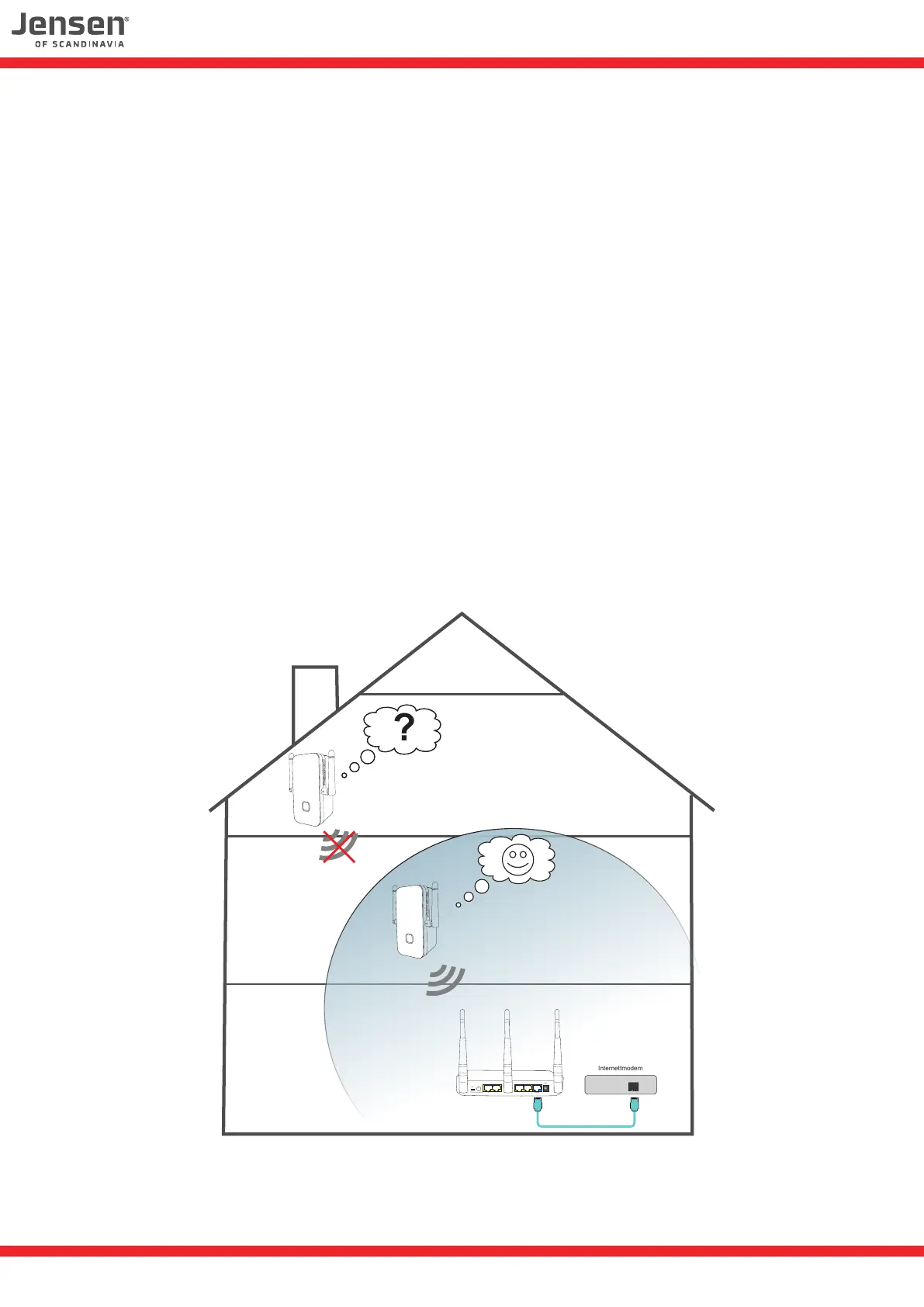
The Eagle 1500 will not be able to work properly or connect if it’s placed outside the coverage
of the existing wireless network. Please see page 10 for LED status information.
We recommend that you place the Eagle 1500 3 meters from the wireless router when setting it up.
2. Choose correct wireless network
Please make sure you select the correct wireless network when you setup the Eagle 1500.
3. Wireless password / encryption key
Please make sure you enter the correct password/encryption key for the wireless network that
the Eagle 1500 shall connect to.
If you still have problems with your Eagle 1500 we recommend to do a reset and try setup again.
Internettmodem
2 1 Internet34
5VDC
ON / OFF
Reset/WPS
WiFi
??
9


 To Next Page
 Loading...