8
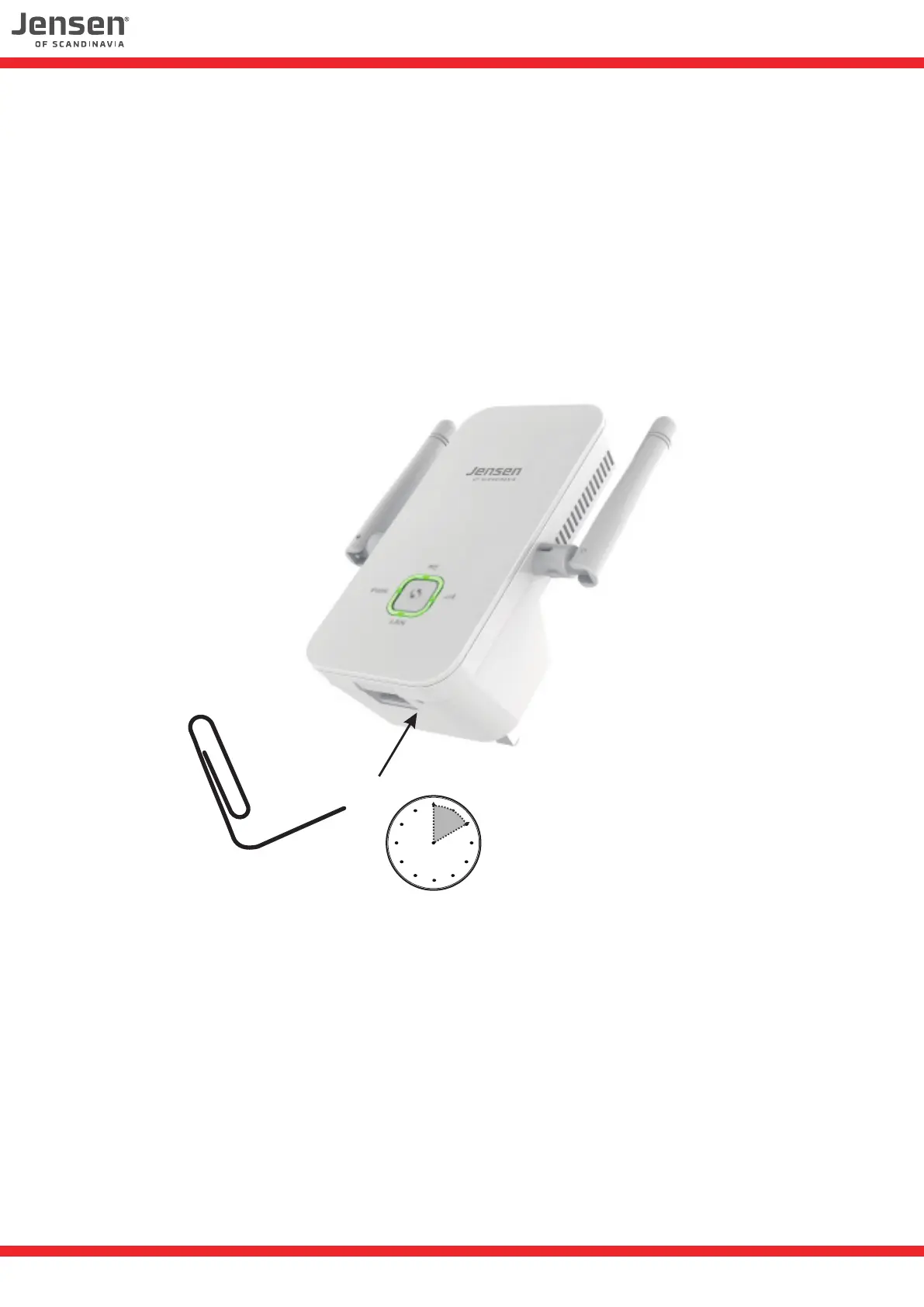
How do I reset the Eagle 1500?
If you have some problems or want to setup the Eagle 1500 to another wireless network you
can reset it by following the below steps:
1. Connect the Eagle 1500 to a power outlet and wait for 20 seconds.
2. Press and hold the RESET button for 10 seconds using a paperclip, pen etc.
3. The Eagle 1500 will now be reset back to factory default settings.
4. Eagle 1500 is now ready to be setup again.
10 seconds


 To Next Page
 Loading...