26
Advanced operations
7During playback of a disc/file
containing subtitles in several
languages
When using the SUBTITLE button:
1 Press SUBTITLE.
Example (DVD VIDEO): “ENGLISH” is selected out of
3 subtitle languages recorded.
2 Press Cursor Y/5 to select the
desired subtitle.
For DVD VR
• Pressing SUBTITLE activates the subtitles
(subpictures) regardless of whether the subtitles are
recorded or not. (Subpictures will not change if no
subpicture is recorded.)
For SVCD
• An SVCD can contain up to four subtitles. Pressing
SUBTITLE changes the subtitles regardless of whether
the subtitles are recorded or not. (Subtitles will not
change if no subtitle is recorded.)
When using the on-screen bar:
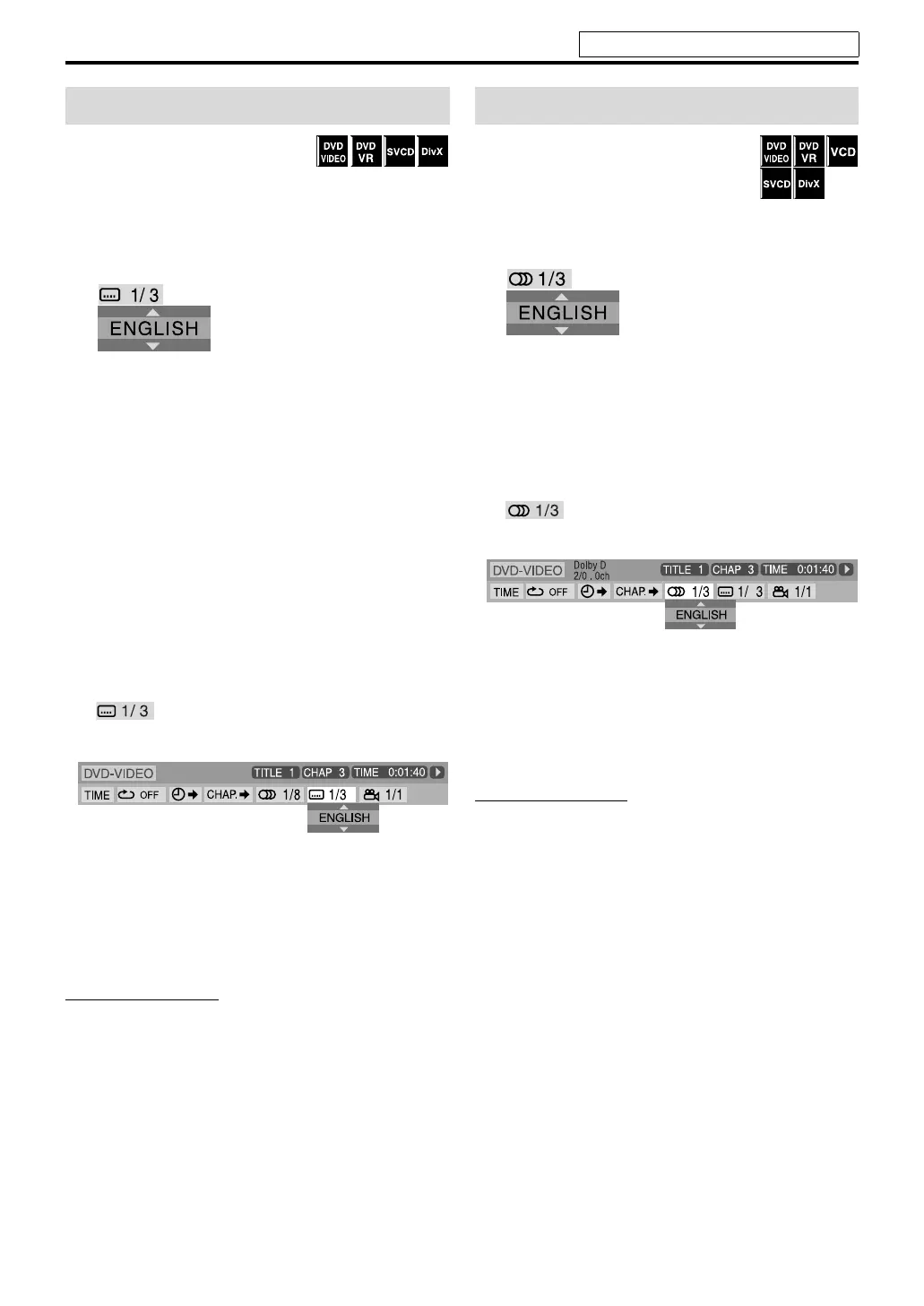
1 Press ON SCREEN twice.
The on-screen bar appears on the TV screen.
2 Press Cursor 3/2 to highlight
.
3 Press ENTER.
4 Press Cursor Y/5 repeatedly to
select the desired subtitle.
5 Press ENTER.
6 Press ON SCREEN.
The on-screen bar disappears.
NOTE
• Some subtitle or audio languages are abbreviated in the pop-
up window. See “The language codes list”. (See page 33.)
•Each time you press SUBTITLE, the subtitle appears and
disappears alternately.
• For DivX, you cannot operate this procedure using the on-
screen bar.
7During playback of a disc/file containing
audio in several languages
When using the AUDIO button:
1 Press AUDIO.
Example (DVD VIDEO): “ENGLISH” is selected out of
3 audio languages recorded.
2 Press AUDIO repeatedly or Cursor
Y/5 to select the desired audio.
When using the on-screen bar:
1 Press ON SCREEN twice.
The on-screen bar appears on the TV screen.
2 Press Cursor 3/2 to highlight
.
3 Press ENTER.
4 Press Cursor Y/5 to select the
desired audio.
5 Press ENTER.
6 Press ON SCREEN.
The on-screen bar disappears.
NOTE
• Some subtitle or audio languages are abbreviated in the pop-
up window. See “The language codes list”. (See page 33.)
• “ST”, “L” and “R” is displayed when playing a DVD VR, VCD
or SVCD respectively representing “stereo”, “left sound” and
“right sound”.
• For DivX, you cannot operate this procedure using the on-
screen bar.
Selecting the subtitle
Dolby D
2/0 . 0ch
Selecting the audio
See page 20 for button locations.
THP5-P3[B]-f.book Page 26 Tuesday, December 27, 2005 3:39 PM



 To Next Page
 Loading...