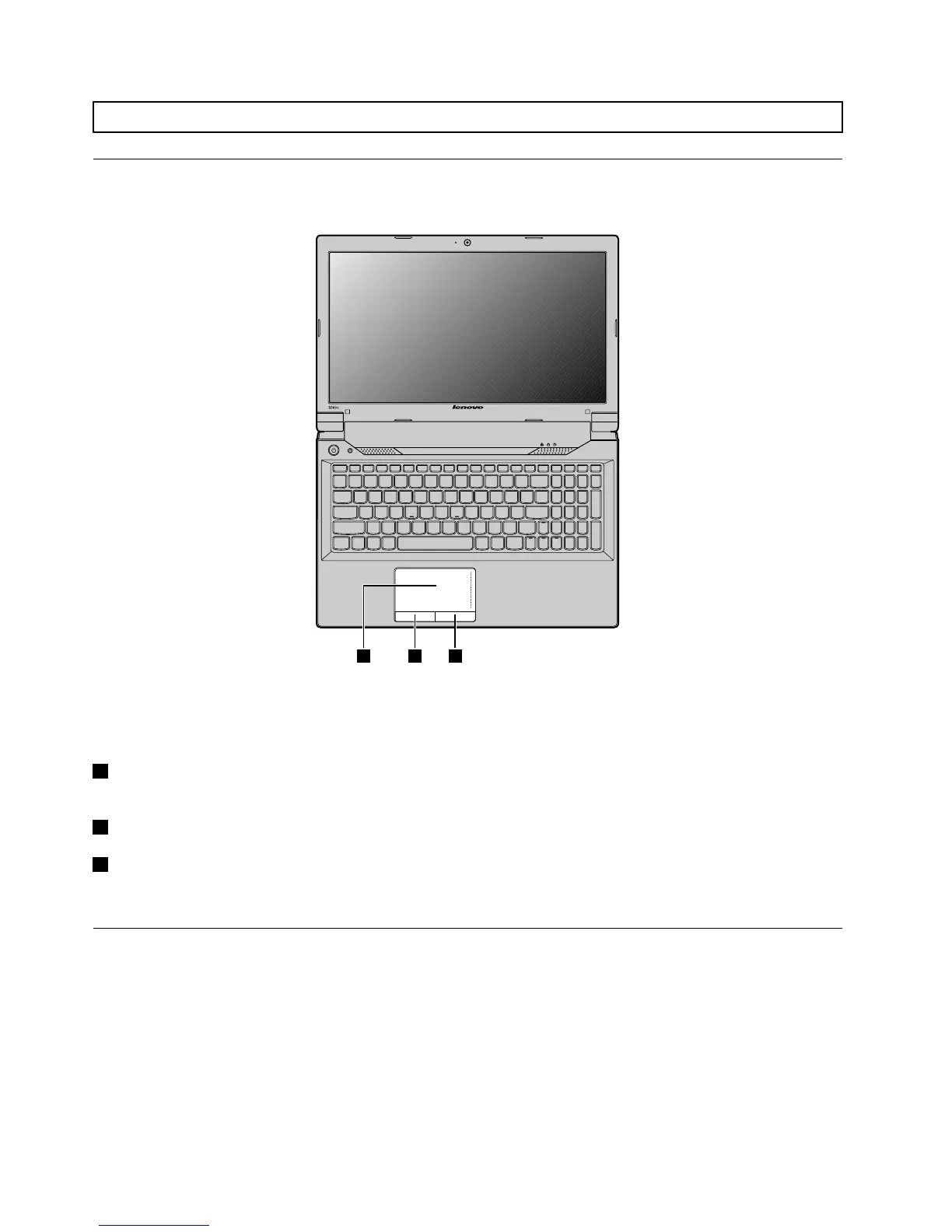
Figure8.Touchpad
Note:Yourcomputermightlookdifferentfromtheaboveillustration.
1Touchpad:Tomovethecursoronthescreen,slideyourngertipoverthepadinthedirectioninwhich
youwantthecursortomove.
2Leftclickbutton:Functionsthesameastheleftbuttononaconventionalmouse.
3Rightclickbutton:Functionsthesameastherightbuttononaconventionalmouse.
Note:YoucanenableordisablethetouchpadbypressingFn+F6.
Usingthekeyboard
Yourcomputerhasanumerickeypadandfunctionkeysincorporatedinitsstandardkeyboard.
Numerickeypad
Dependingonyourmodel,yourcomputermightcomewithaseparatenumerickeypadorfunctionkeys
thatcouldworkasanumerickeypad.
14UserGuide


 To Next Page
 Loading...








