Chapter 3. Connecting to the Internet
19
Wireless connection
- - - - - - - - - - - - - - - - - - - - - - - - - - - - - - - - - - - - - - - - - - - - - - - - - - - - - - - - - - - - - - - - - - - - - - - - - - - - - - - - - - - - - - - - - - - - - - - - - - - - -
Wireless connections provide mobile access to the Internet, allowing you to stay online
anywhere the wireless signal covers.
Divided by the signal scales, wireless connection to the Internet can be built based on the
following standards.
Using Wi-Fi/WiMAX (Select models only)
Enabling wireless connection
To enable wireless communications, do the following:
1
Slide the integrated wireless device switch from to .
2
Press Fn + F5 to make configuration.
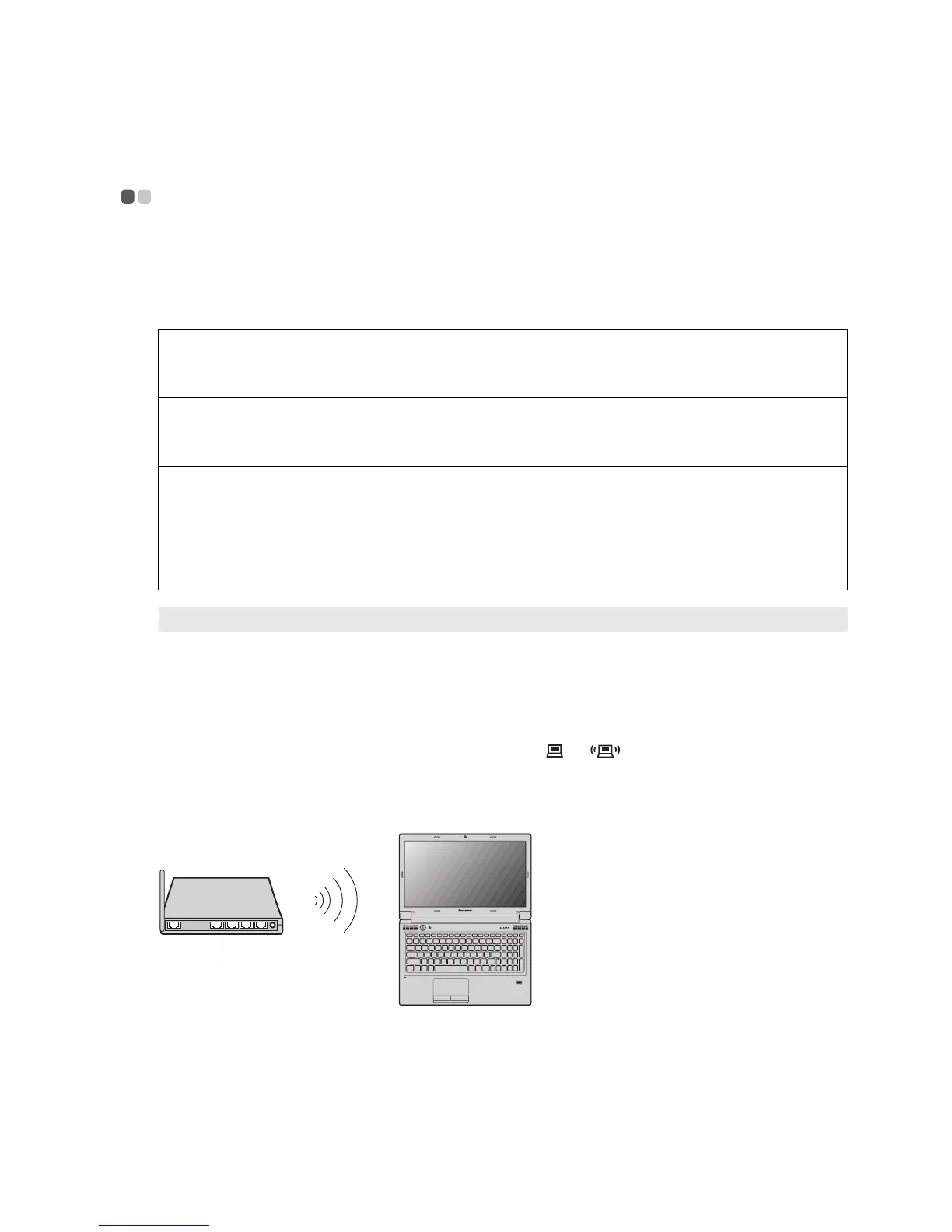
Hardware connection
Software configuration
Consult your Internet Service Provider (ISP) and search Windows Help and Support Center for
details on how to configure your computer.
Wi-Fi Wi-Fi networks cover a small physical area, like a home, office,
or small group of buildings. An access point is necessary for the
connection.
WiMAX WiMAX networks connect several Wireless LAN systems to
cover a metropolitan area, providing high-speed broadband
access without the need for cables.
Mobile Broadband The Mobile Broadband network provides Internet access to
computers, cell phones and other devices over a large
geographic area. Mobile networks are used for data
transmission, and access is usually provided by a mobile
network operator. A Mobile Broadband SIM card is necessary
for the connection.
Note: Your computer may not support all wireless connection methods.
B575
Access point *
Wi-Fi/WiMAX network
* Not supplied


 To Next Page
 Loading...