EasyManua.ls Logo

LG 47LH90 - USB CONNECTION

LG 47LH90
140 pages
Print Icon
To Next Page IconTo Next Page
To Previous Page IconTo Previous Page
Loading...
EXTERNAL EQUIPMENT SETUP
36
OTHER A/V SOURCE SETUP
USB CONNECTION
EXTERNAL EQUIPMENT SETUP
USB IN
IN 4
AV IN 2
L/MONO
R
AUDIO
VIDEO
Memory Key
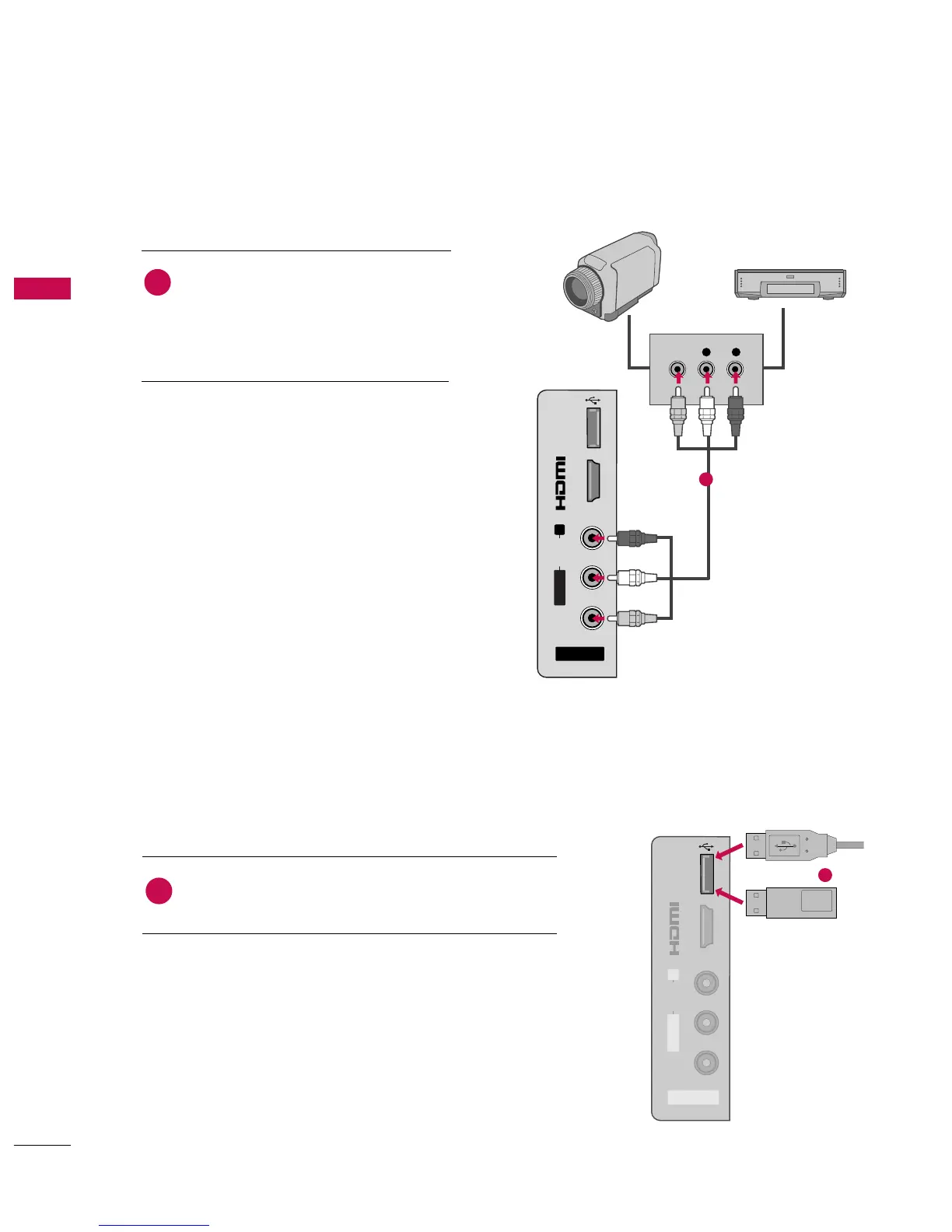
Connect the USB device to the
U
USSBB II NN
jack on the side
of the TV.
1. How to connect
1
2. How to use
After connecting the
UUSSBB II NN
jack, you use the USB func-
tion. (
GG
pp..5588
)
1
or
AV IN 2
L/MONO
R
AUDIO
VIDEO
USB IN
IN 4
L R
VIDEO
Camcorder
Video Game Set
Connect the
A
AUUDDIIOO
/
VVIIDDEEOO
jacks
between TV and external equipment.
Match the jack colors
.
(
Video = yellow, Audio Left = white, and
Audio Right = red
)
1. How to connect
2. How to use
Select the
AA VV22
input source on the TV using
the
IINNPPUUTT
button on the remote control.
If connected to
AAVV IINN 11
input, select the
AA VV11
input source on the TV.
Operate the corresponding external equipment.
1
1

Table of Contents

Other manuals for LG 47LH90

Related product manuals