INSTRUMENTSANDCONTROLS
MessageCentre
VehicleInformationDisplay
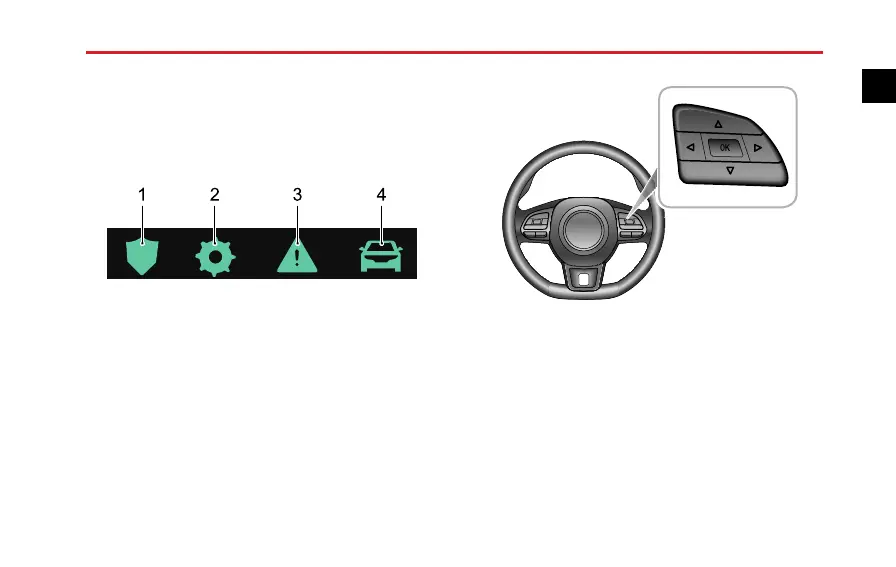
Thevehicleinformationdisplaycontainsthefollowing
information:
1ActiveSafety
2Setting
3WarningInformation
4T ripComputer
WiththeSTART/STOPSwitchintheON/READYposition,
thevehicleinformationdisplayfunctioncanbeselectedas
follows:
•PresstheUP/DOWN/LEFT/RIGHTbuttonintheRH
steeringwheelmultifunctionswitchpack,thiswillshift
betweenthedisplayoptions.
•PresstheUP/DOWNbuttonintheRHsteeringwheel
multifunctionswitchpacktoscrollthroughtheoptions
andmakeanychanges.
•PresstheOKbuttonintheRHsteeringwheel
multifunctionswitchpacktoconrmyouroption
19
1


 To Next Page
 Loading...