16
succeeds or fails. It will illuminate steadily on success. If an error occurs, the Power
LED on the ‘adder’ will flash unevenly until the pushbutton on the ‘adder’ is pressed
again or the ‘joiner’ is reset by pressing the pushbutton for more than 10 seconds.
A
PLC
B
PLC
C
PLC
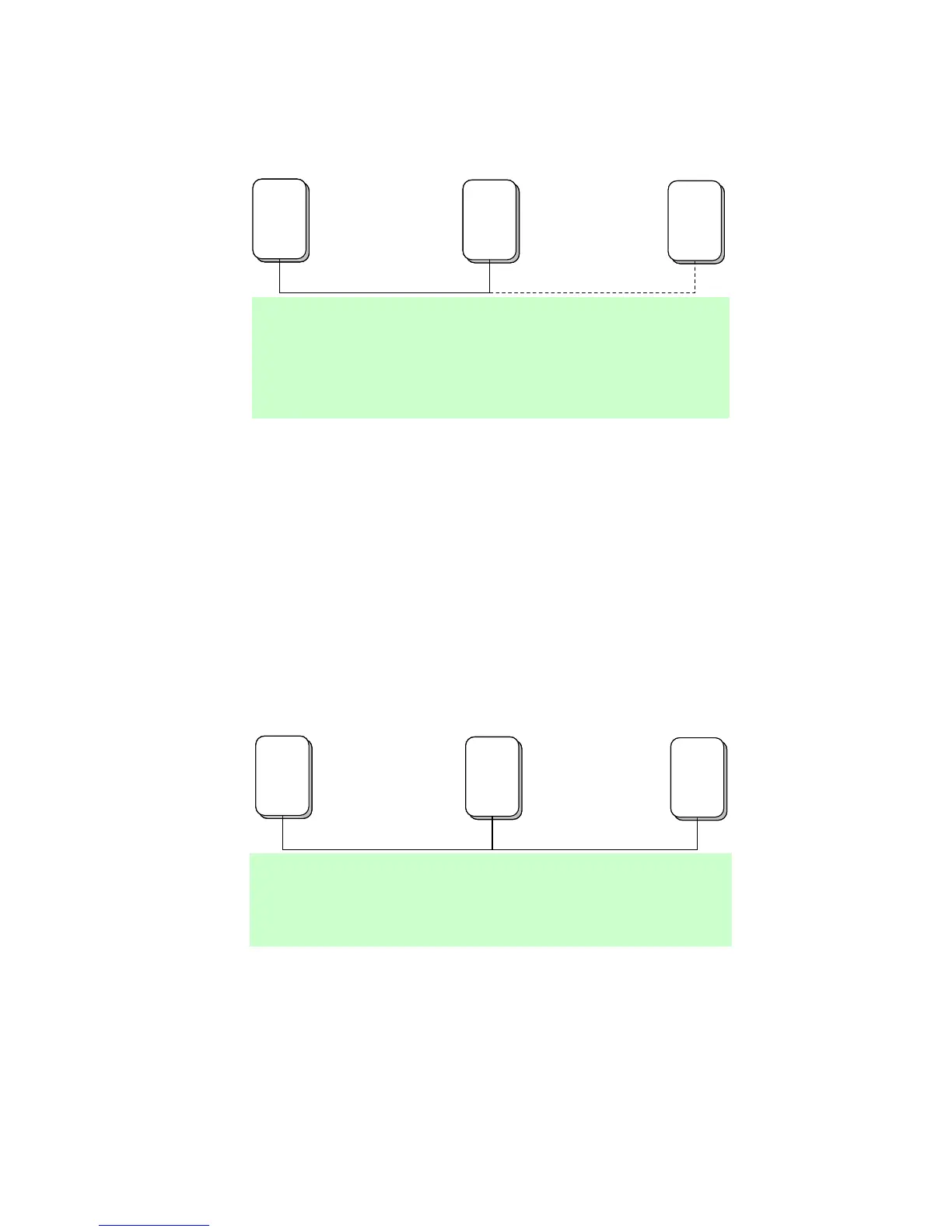
A and B form an AVLN
C wants to join the AVLN
Press NMK button on B less than 3 sec.
Press NMK button on C less than 3 sec.
B becomes “adder”
C becomes “joiner”
C accepts NMK from B
A
PLC
A
PLC
B
PLC
B
PLC
C
PLC
A and B form an AVLN
C wants to join the AVLN
Press NMK button on B less than 3 sec.
Press NMK button on C less than 3 sec.
B becomes “adder”
C becomes “joiner”
C accepts NMK from B
Figure 6-2: Joining a Network
6.3 Leaving a Network
A network exists. The user wants to remove one device, the ‘leaver’, from that
network, for whatever reason. He may want to remove the device from service
altogether or have it join another logical network.
1. Press the pushbutton on the ‘leaver’ for at least 10 seconds. The device will
reset and restart with a random NMK.
2. Wait for reset to complete.
The Power LED on the ‘leaver’ will momentarily extinguish during reset, flash during
restart then illuminate steadily. No errors can occur.
Once the process completes, the user may disconnect the device from the medium or
join it to another logical network on the same medium.
A
PLC
B
PLC
C
PLC
A, B and C form an AVLN
A wants to leave the AVLN
Press NMK button on A more than 10 sec.
A computes random NMK
A resets and restarts
A
PLC
A
PLC
B
PLC
B
PLC
C
PLC
A, B and C form an AVLN
A wants to leave the AVLN
Press NMK button on A more than 10 sec.
A computes random NMK
A resets and restarts
Figure 6-3: leaving a Network


 To Next Page
 Loading...



