99
The Set-up Menu
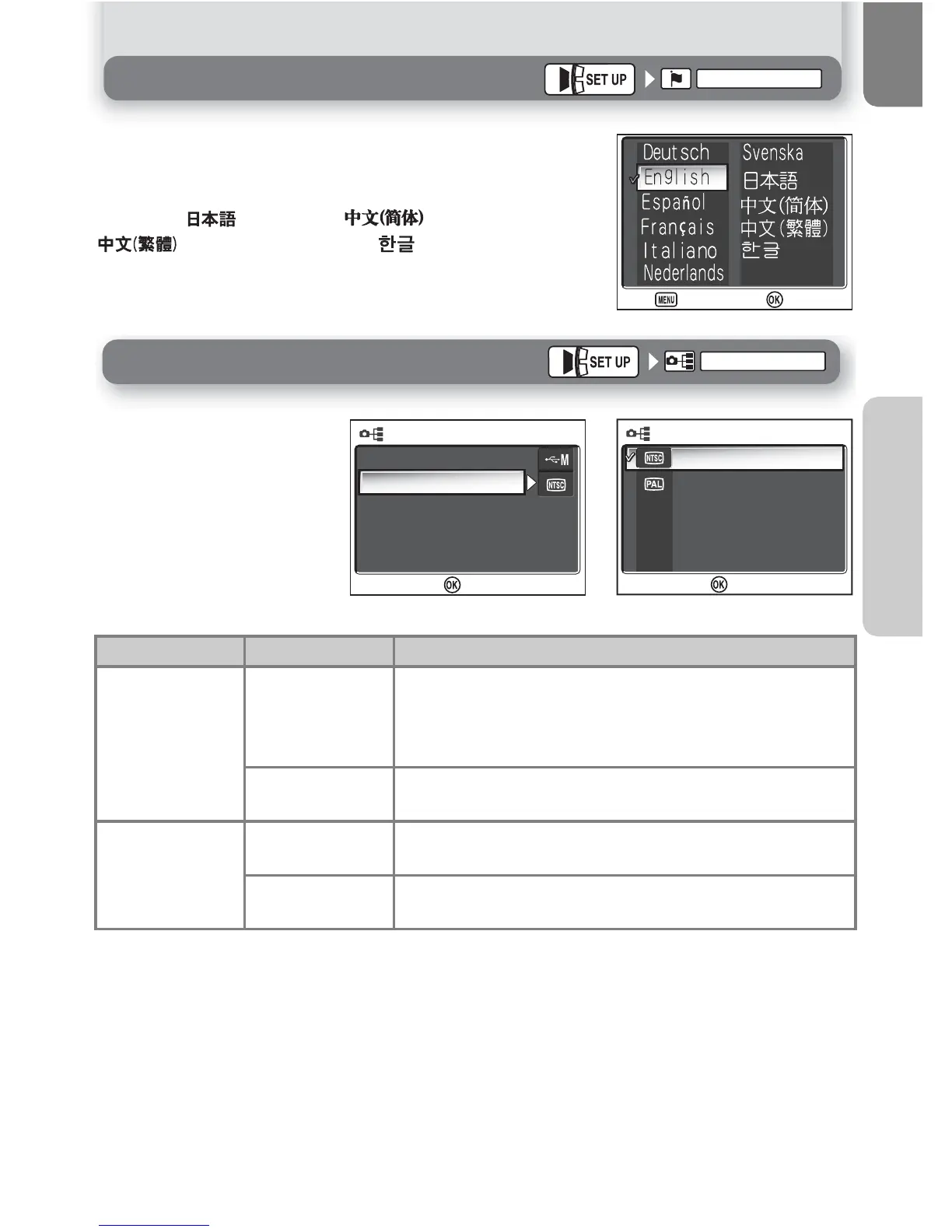
Language
Language
Choose the language for camera menus and messages from
Deutsch
(German),
English
,
Español
(Spanish),
Français
(French),
Italiano
(Italian),
Nederlands
(Dutch),
Svenska
(Swedish), (Japanese), (Simplified Chinese),
(Traditional Chinese) or (Korean).
Set USB mode or the video
mode. After choosing
USB
or
Video
mode
from the
SET-UP menu, choose
PTP
or
Mass storage
for the
USB
option, or choose
NTSC
or
PAL
for the
Video
mode
option.
Item Option Description
USB
PTP
Select this option when operating system of the USB
connected computer supports only PTP (Q 49).
Select this option when printing via direct USB con-
nection (Q 56).
Mass storage
Select this option when connecting via USB other
than the above.
Video mode
NTSC
Select this option when connecting the camera to
NTSC devices.
PAL
Select this option when connecting the camera to
PAL devices.


 To Next Page
 Loading...














