56
More on Playback
Printing Via Direct USB Connection
Your camera allows pictures to be printed directly from the camera using Pict-
Bridge. If the UC-E6 USB cable is used to connect the camera to a printer that
supports PictBridge, pictures can be printed directly from the memory or memory
card without having to be transferred to a computer.
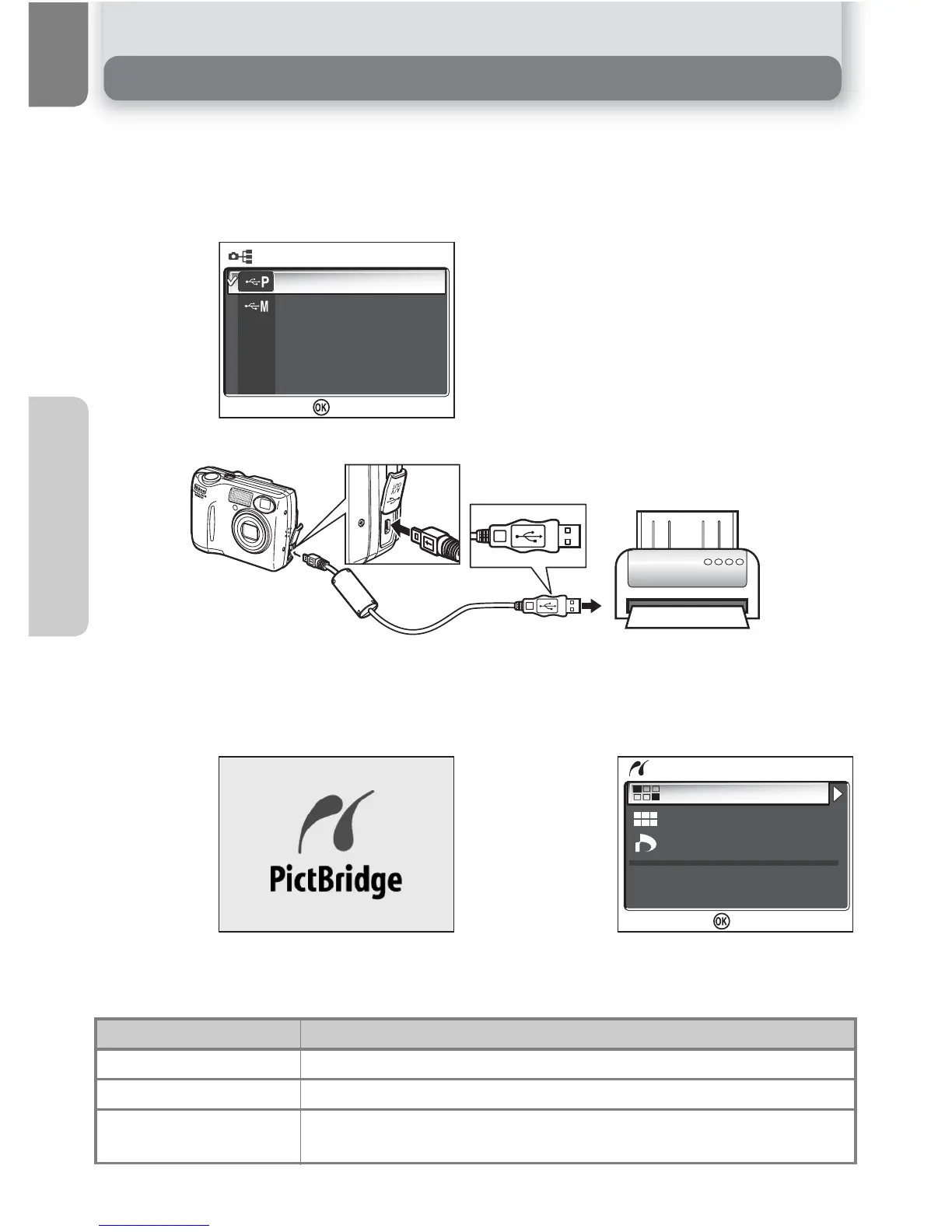
Select PTP in the camera USB menu.
• For more information on selecting the
USB option, see "Viewing Pictures on a
Computer" (Q 49).
After confirming that the camera is off, connect the UC-E6 USB cable as shown
above.
You can now turn the camera and printer on.
The opening screen and the PictBridge menu is displayed when the camera has
recognized the printer.
1
PTP
Mass storage
:
Set
+
Option Description
Print selection Select picture and specify number of prints.
Print all images All pictures in internal memory or on memory card are printed.
DPOF printing
Pictures for which print order has been created are printed
accordingly.


 To Next Page
 Loading...














