369
Playback
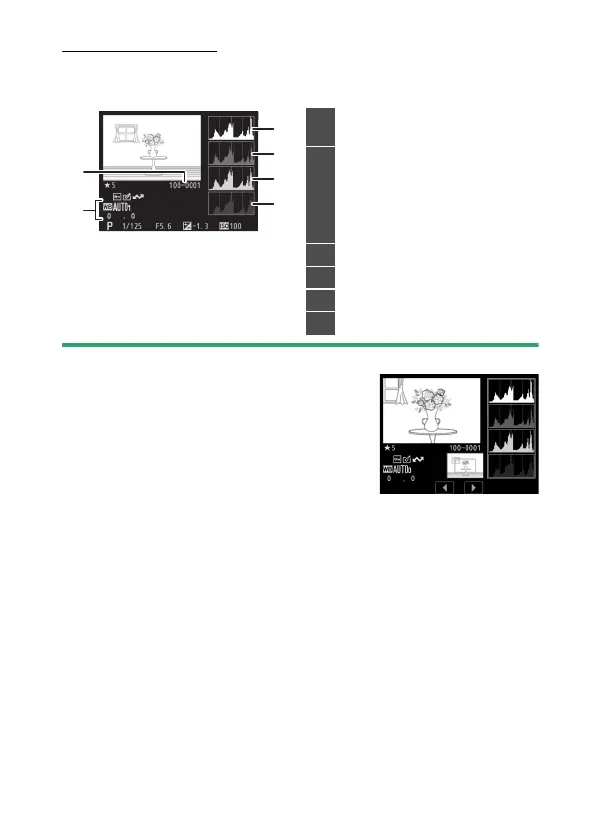
RGB Histogram
To choose a color channel for the highlight display, select
[Select R, G, B] in the
i
menu and press
4
or
2
.
D
Playback Zoom
To zoom in on the photograph when the
histogram is displayed, press
X
(
T
). Use the
X
(
T
) and
W
(
Y
) buttons to zoom in and
out and scroll the image with the multi
selector. The histogram will be updated to
show only the data for the portion of the image
visible in the display.
1
Folder number-frame number
(
0
545)
2
White balance (
0
195)
Color temperature (
0
204)
Preset manual (
0
209)
White balance fine-tuning
(
0
200)
3
Histogram (RGB channel)
4
Histogram (red channel)
5
Histogram (green channel)
6
Histogram (blue channel)


 To Next Page
 Loading...








