653
Menu Guide >
A
Custom Settings
Choose whether shading is used to indicate highlights (bright
areas of the frame) during movie recording.
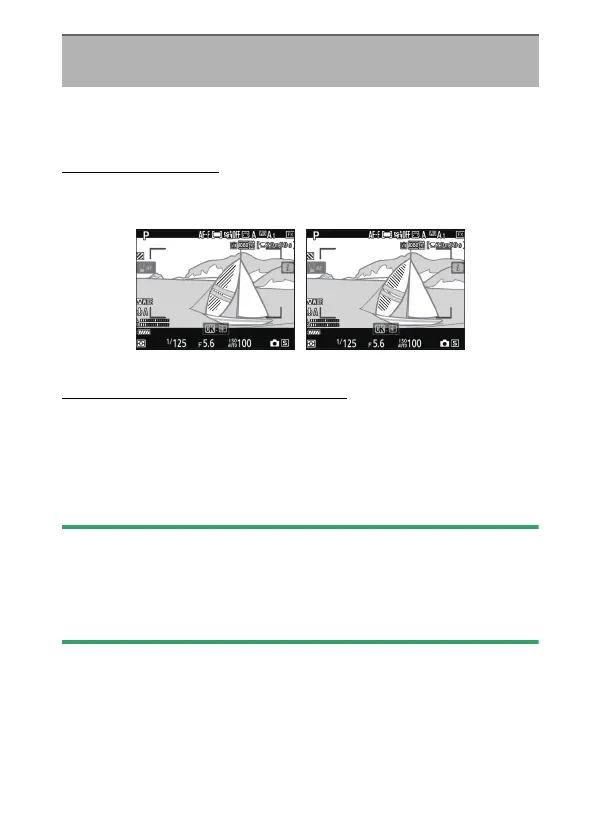
Display Pattern
To enable the highlight display for movie recording, select
[Pattern 1] or [Pattern 2].
Highlight Display Threshold
Choose the brightness needed to trigger the movie highlight
display. The lower the value, the greater the range of
brightnesses that will be shown as highlights. If [255] is
selected, the highlight display will show only areas that are
potentially overexposed.
D
Highlight Display
If both the highlight display and peaking highlights are enabled, only
peaking highlights will be displayed in manual focus mode. To view the
highlight display in manual focus mode, select [Off] for Custom Setting
d11 [Peaking highlights]> [Peaking level].
g5: Highlight Display
G
button
U
A
Custom Settings menu
Pattern 1 Pattern 2



 To Next Page
 Loading...








