602
Menu Guide >
A
Custom Settings
Choose whether the
E
button is needed for exposure
compensation.
•
This setting takes effect in modes P, S, and A. Easy exposure
compensation is not available in other modes.
•
The command dial used varies with the shooting mode.
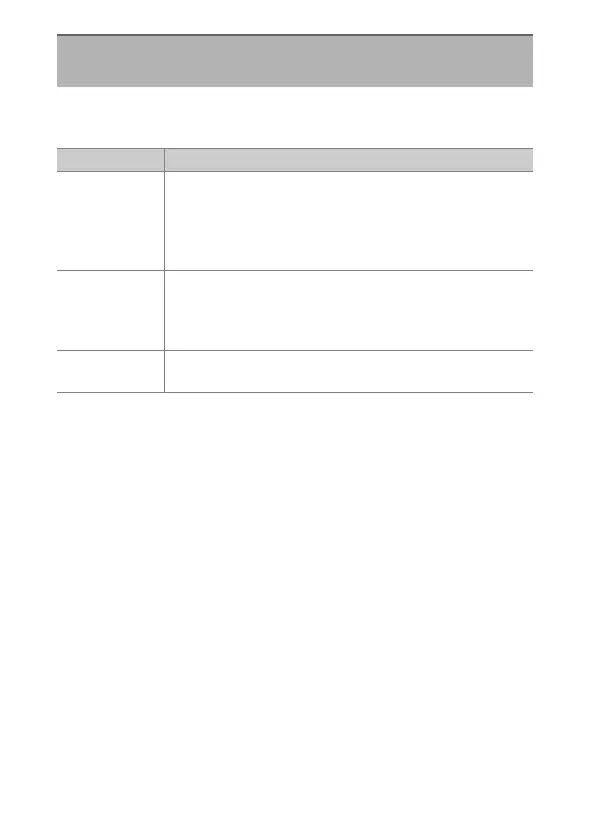
b2: Easy Exposure Compensation
G
button
U
A
Custom Settings menu
Option Description
[On
(Auto reset)]
Exposure compensation can be adjusted rotating the
command dial not currently used for shutter speed or
aperture. The setting selected with the command dial is
reset when the camera turns off or the standby timer
expires.
[On]
Exposure compensation can be adjusted rotating the
command dial not currently used for shutter speed or
aperture. Exposure compensation is not reset when the
camera turns off or the standby timer expires.
[Off]
Exposure compensation is set by pressing the
E
button
and rotating the main command dial.


 To Next Page
 Loading...








