Chapter 6 Operation Method
3 Installing Application Software
- 25 -
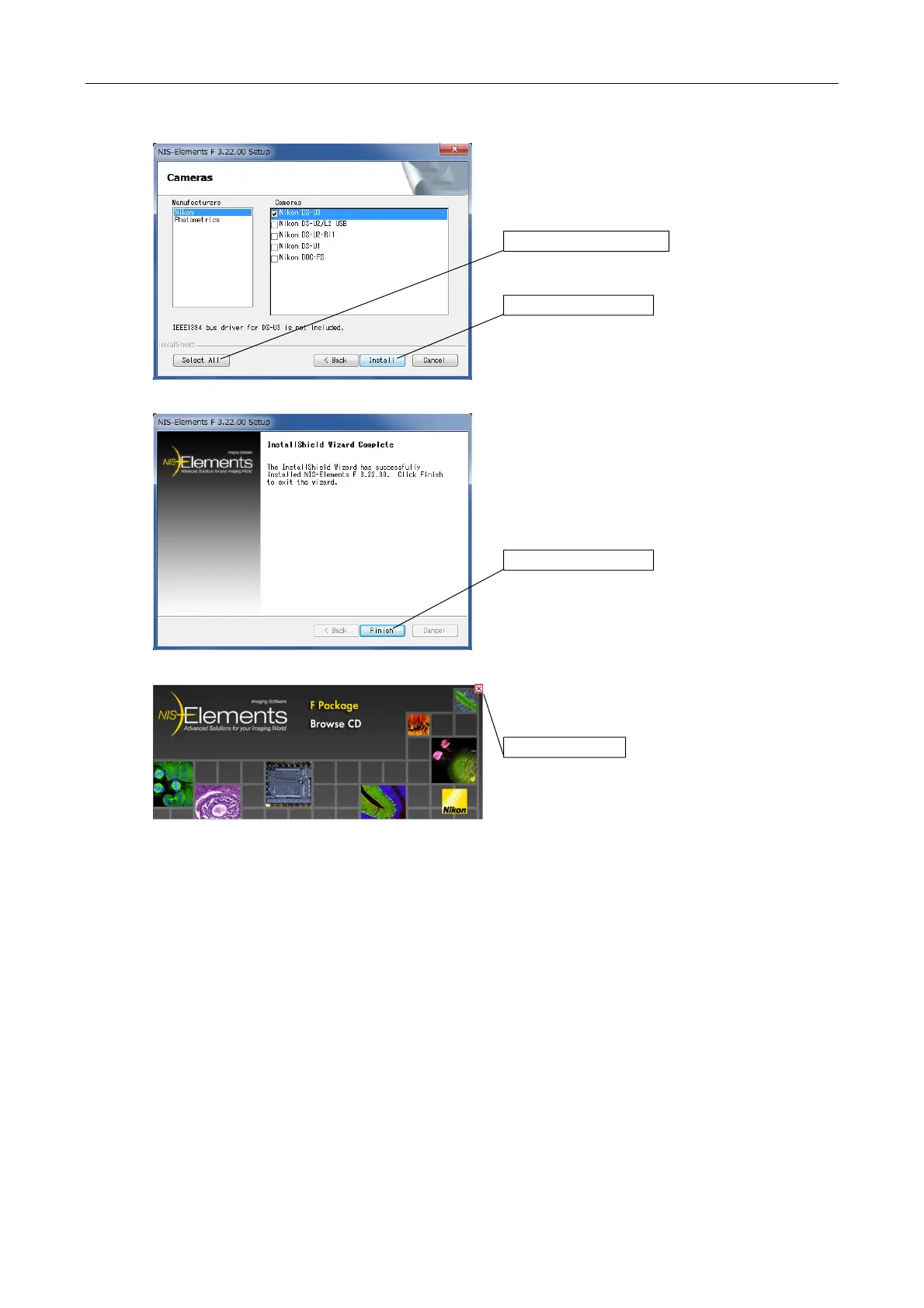
4. Click the [Select All] button to choose all the
cameras. Click the [Install] button.
5. The Completion screen appears. Click the [Finish]
button.
6. Click the [X] button to close the window.
To use the Nikon NIS-Elements software, which is sold separately, or another application dedicated
to the DS-U3, install it in the PC according to the instruction manual provided with each software.
Click the [Install] button.
Click the [Finish] button.
Click the [X] button.
Click the [Select All] button.


 To Next Page
 Loading...