-continued
Using built-in Speedlight
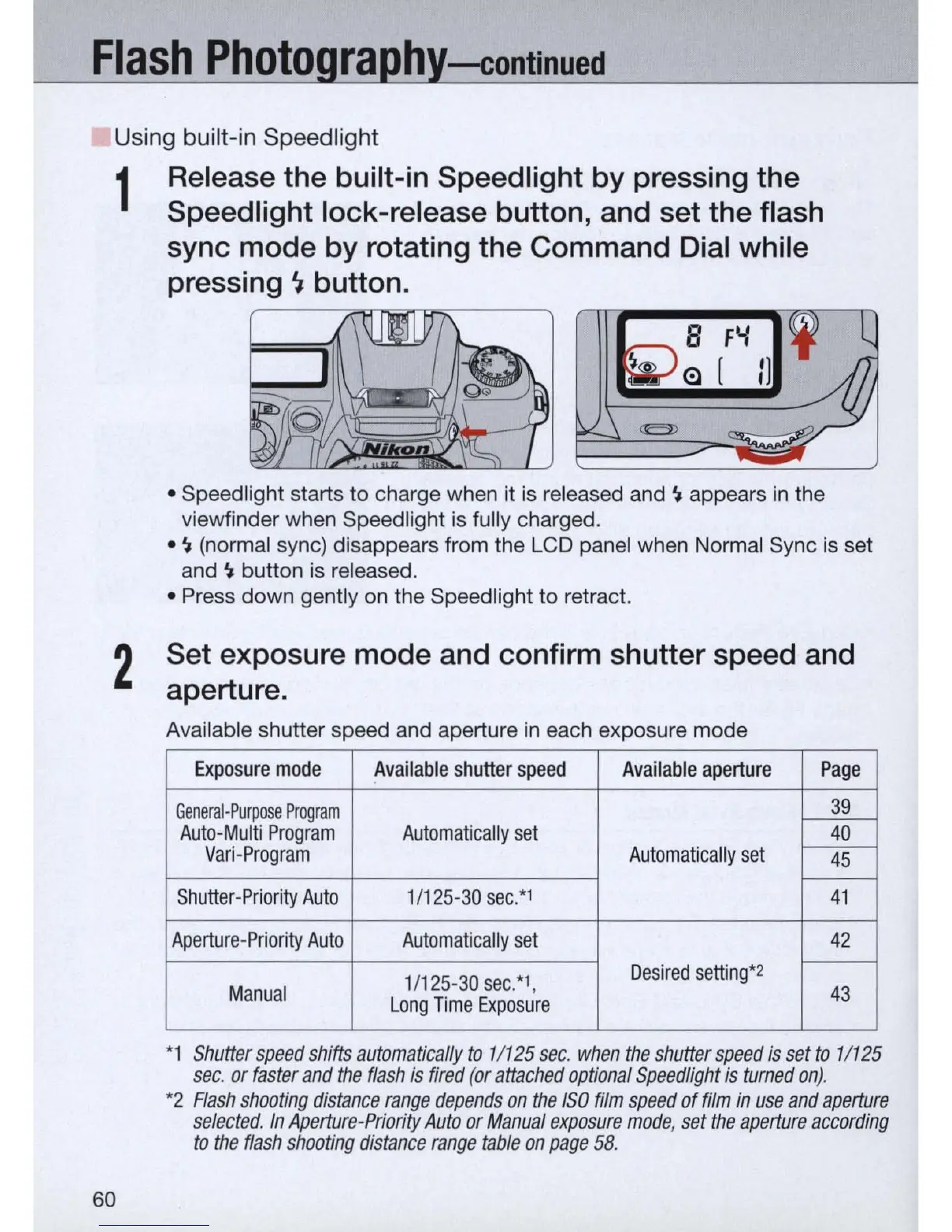
1 Release the built-in Speedlight by pressing the
Speed light lock-release button, and set the flash
sync mode by rotating the Command Dial while
pressing
~
button.
• Speedlight starts to charge when it
is
released and
~
appears
in
the
viewfinder when Speedlight
is
fully charged .
•
~
(normal sync) disappears from the LCD panel when Normal Sync
is
set
and
~
button
is
released.
• Press down gently
on
the Speedlight
to
retract.
2
Set exposure mode and confirm shutter speed and
aperture.
60
Available shutter speed and aperture
in
each exposure mode
Exposure
mode
Available
shutter
speed
Available
aperture
Page
General-Purpose
Program
39
Auto-Multi
Program
Automatically
set
---:w-
Vari-Program
Automatically
set
~
-
Shutter
-Priority
Auto
1/
125-30
sec:'
41
Aperture-Priority
Auto
Automatically
set
42
-
Desired
setting*
2
1/
125-30
sec:',
Manual
Long
Time
Exposure
43
*1
Shutter
speed
shifts
automatically
to
11125
sec.
when
the
shutter
speed
is
set
to
11125
sec.
or
faster
and
the
flash
is
fired
(or
attached
optional
Speedlight
is
turned
on)
.
*2
Flash
shooting
distance
range
depends
on
the
ISO
film
speed
of
film
in
use
and
aperture
selected.
In
Aperture-Priority
Auto
or
Manual
exposure
mode
,
set
the
aperture
according
to
the
flash
shooting
distance
range
table
on
page
58
.


 To Next Page
 Loading...









