Personalise your home screen
You can change the wallpaper, and
rearrange items on the home screen.
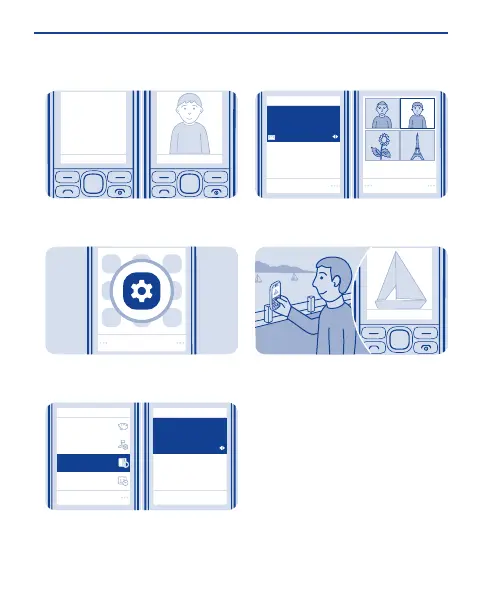
Select Menu > Settings.
1
Select
Home screen
Wallpaper
Set by theme
Themes
Date and time
Tones
Display
Select Display, scroll to Wallpaper,
and scroll to a folder.
2
Select
Home screen
Wallpaper
OK
Photos
Select OK to open the folder, and
select a photo.
3
Tip: You can also take a photo on your
phone camera, and use that.
23


 To Next Page
 Loading...