Power Paper Stacker Option
42
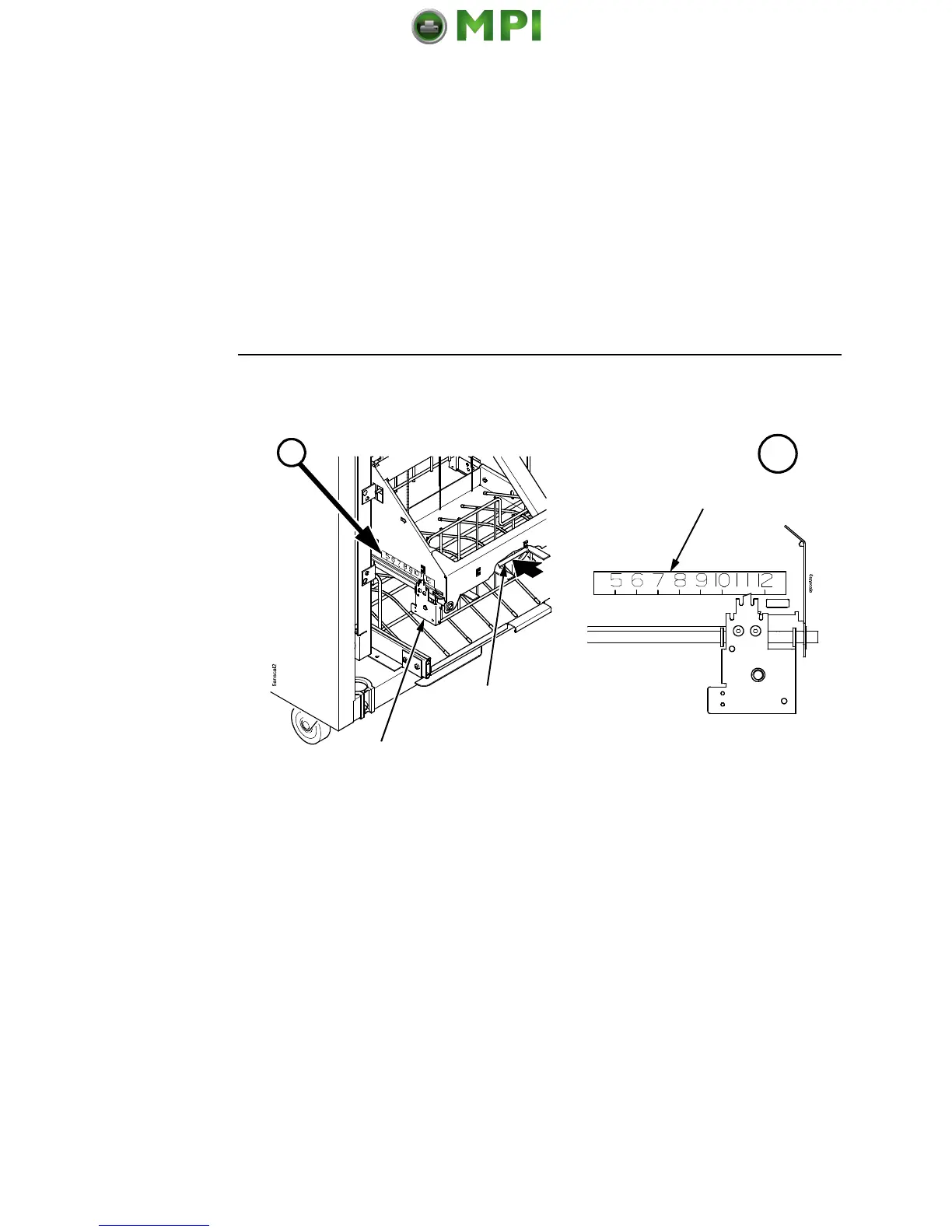
Figure 33. Setting the Paper Length
4. Set the desired paper length (5 to 12 inch range), as follows:
Grasping the paddle shaft, push or pull towards the front or the
rear of the printer, setting the desired paper length by aligning
the indicator notch on the bearing bracket with the paper length
indicator.
5. Press STACKER DOWN.
A
A
Paddle Shaft
Bearing Bracket
Paper Length Indicator


 To Next Page
 Loading...