13
EN
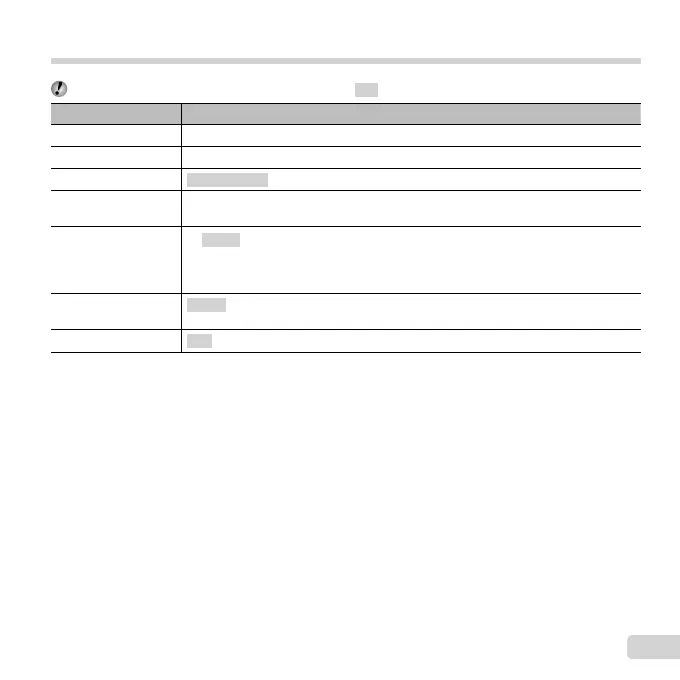
Selecting the shooting mode
The default settings of the function are highlighted in .
Shooting mode Submode
P (P mode)
–
M (M mode) –
Q (Q mode)
Recommended/Set 1/Set 2/Set 3
a (Super Macro
mode)
–
( mode)
B Portrait
/
F Landscape/i Hand-Held Starlight/
G Night Scene/
M
Night+Portrait/
C Sport/N Indoor/
R
Self Portrait/
S
Sunset/X Fireworks/V Cuisine/
d Documents/q Beach & Snow/M Snapshot/U Pet Mode - Cat/
t Pet Mode - Dog/h Backlight HDR
P (P mode)
Pop Art/Pin Hole/Fish Eye/Soft Focus/Punk/Sparkle/Watercolor/Refl ection/Miniature/
Fragmented/Dramatic
p (Panorama mode)
Auto/Manual/ PC
● “List of settings available in each shooting mode” (p. 66), “List of settings” (p. 67), “List of P settings”
(p. 69)
● In certain shooting modes, the camera may take a few moments for image processing after taking a picture.


 To Next Page
 Loading...