PROLiNK Hurricane 5200C/5201 ADSL2+ Modem / Router
User Manual
Page 31 of 59
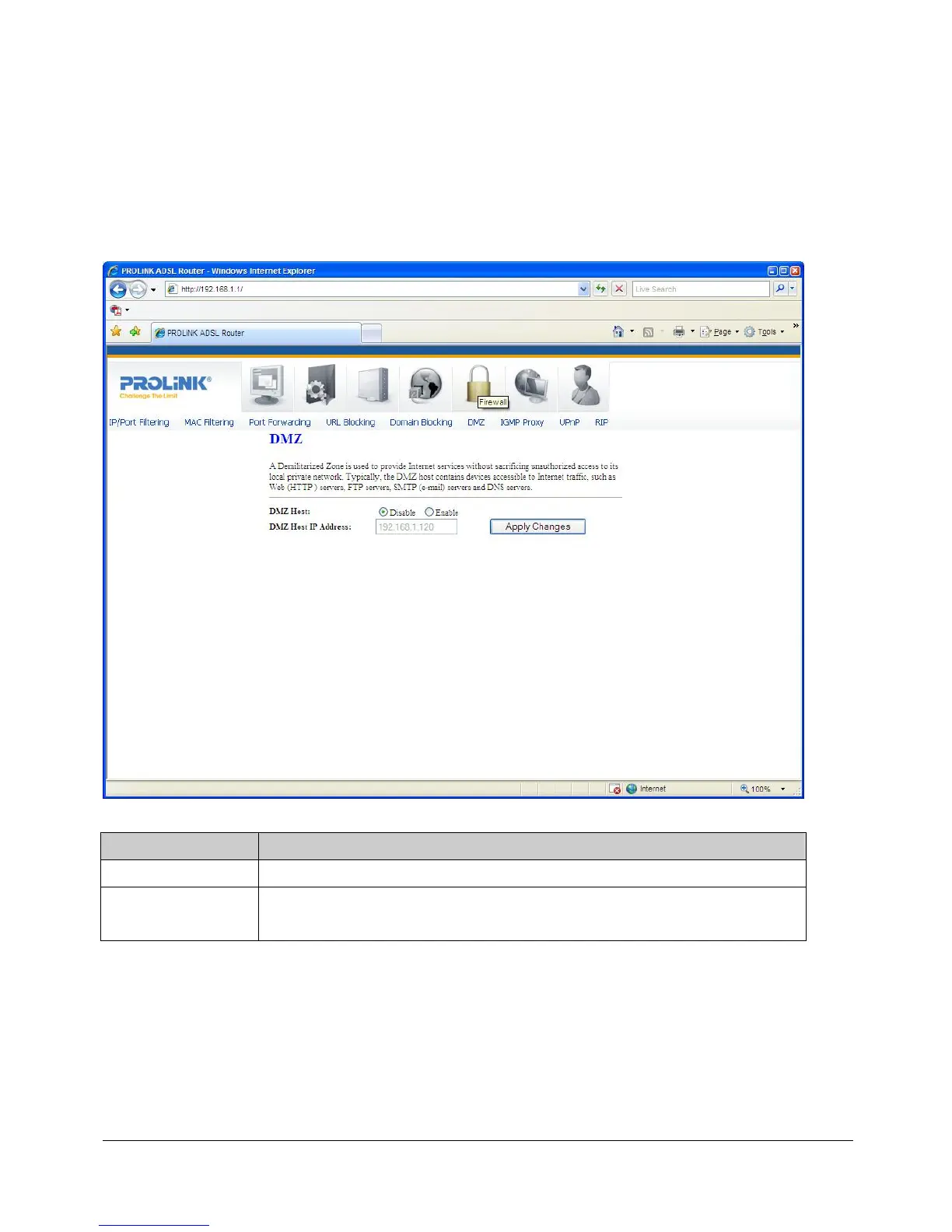
8.6 DMZ
A DMZ (Demilitarized Zone) allows a single computer on your LAN to expose ALL of its
ports to the Internet. Enter the IP address of that computer as a DMZ (Demilitarized Zone)
host with unrestricted Internet access. When doing this, the DMZ host is no longer behind
the firewall.
Fields in this page:
Field Description
Enable DMZ
Check this item to enable the DMZ feature.
DMZ Host IP
Address
IP address of the local host. This feature sets a local host to be exposed to the
Internet.
Function buttons in this page:
Apply Changes
Click to save the setting to the configuration.


 To Next Page
 Loading...






